
Setting up Automatic Status Assignments for Construction Forms

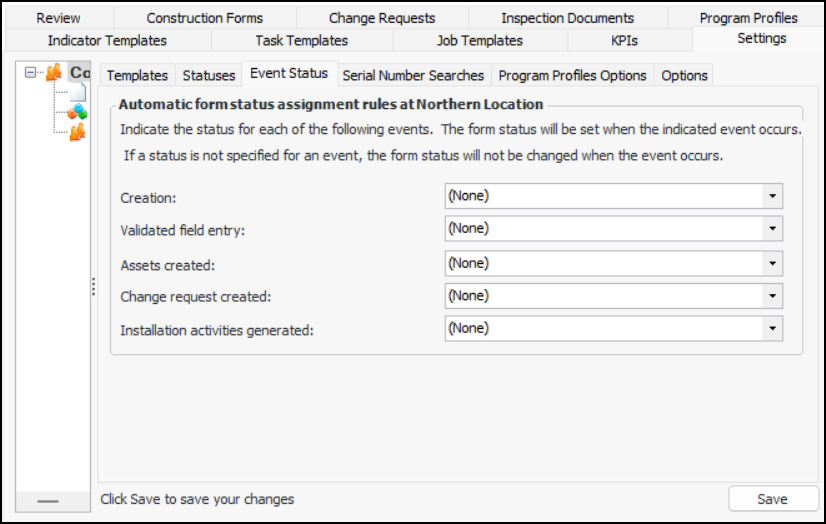
You can select the statuses to be assigned to forms when events occur on the site. For example, when a form is created, it could automatically be assigned the status “Data entry”.
For related information, see Setting up Statuses for Construction Forms.

To Set up Automatic Status Assignments for Forms
1.
In the Site window, select the Construction Management view and the Settings tab. Select the Construction Management Settings node in the tree.
Tip: You can also select the Administration menu and then Construction Management Settings. The Construction Management Settings dialog appears.
2.
Select the Event Status tab.
3.
Click Edit to modify the site settings. The Edit button is replaced by the Save button.
4.
5.
Click Save.