Setting up Serial Number Search Profiles

Serial number search profiles format user-entered values to conform with different rules for serial numbers. The profile specifies the case of the text, whether embedded spaces or characters are removed, or the maximum number of characters. When you search for an asset from a construction form, APM formats the serial number that you enter so that it matches the profile before performing the search.

To Set up a Search Profile

1.
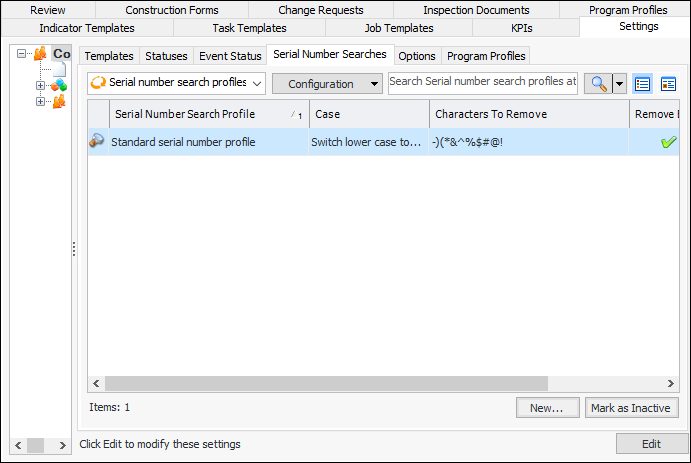
In the Site window, select the Construction Management view and the Settings tab. Select the Construction Management Settings node in the tree.
Tip: You can also select the Administration menu and then Construction Management Settings. The Construction Management Settings dialog appears.
2.
Select the Serial Number Searches tab. This tab shows the profiles defined for the enterprise.
3.
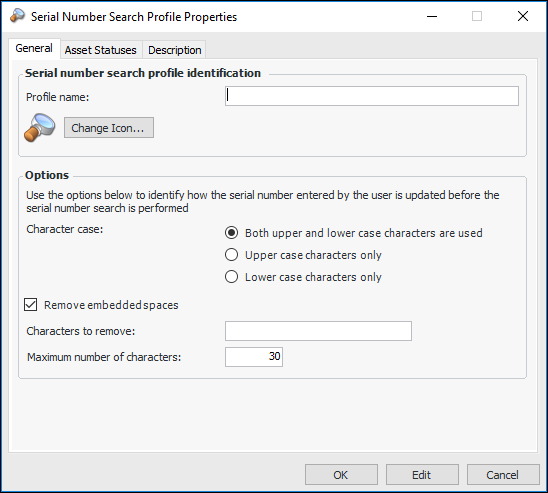
Click New. The Serial Number Search Profile Properties dialog appears:
4.
5.
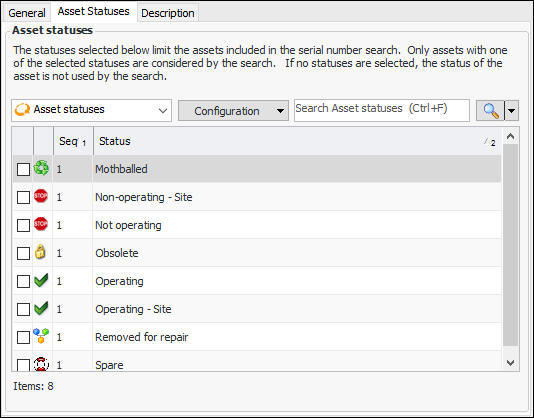
Select the Asset Statuses tab.
6.
7.
Select the Description tab to add more information.
8.
Click OK. The dialog closes and the profile is added to the tab.