Viewing and Setting Asset Program Profile Dates

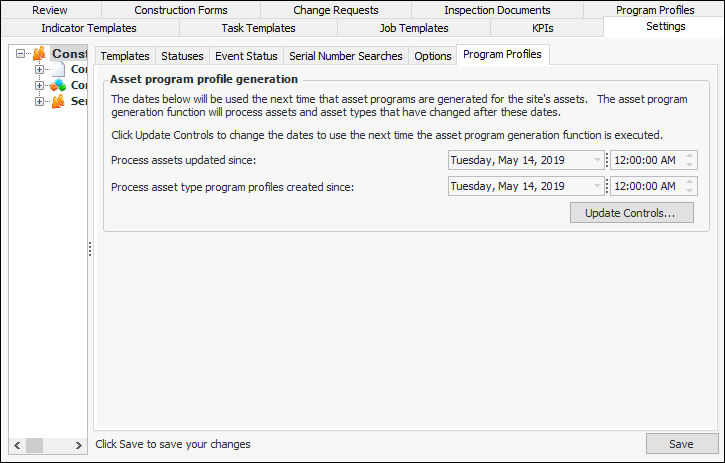
When asset programs are manually updated for the site, APM uses the active profiles for the site to select assets for which a program has not already been generated. The generate process takes into account assets and asset types that have been created or updated since the last time the generate process was executed for the site. You can view and change the dates and times associated with program generation for the site.
For related information, see Setting up Asset Program Profiles.

To View and Set Program Profile Dates
1.
In the Site window, select the Construction Management view and the Settings tab. Select the Construction Management Settings node in the tree.
Tip: You can also select the Administration menu and then Construction Management Settings. The Construction Management Settings dialog appears.
2.
Select the Program Profiles tab. This tab shows the date information about asset program generation. For example:
3.
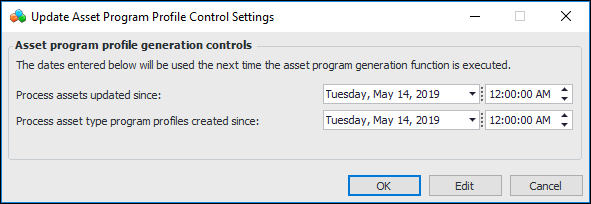
To change the dates, click Update Controls. The Update Asset Program Profile Control Settings dialog appears. For example:
4.
5.
Click OK to close the dialog. The changes are shown on the Program Profiles tab.