|
Setting up Consequence Priorities
A consequence priority number provides an indication of the relative priority of assets in the site. Priority numbers are calculated during an asset prioritization analysis. The priority number can be used to determine the order of work activities, and is used by the system to determine whether or not indicator alarms are shown on parent assets in the asset hierarchy. During the analysis, the priority number is determined by comparing the asset’s failure consequence scores to a set of rules. If the asset’s scores match a rule, the asset is assigned that rule’s priority number. The asset is always awarded the highest priority number that it matches.To Set up Consequence Priorities
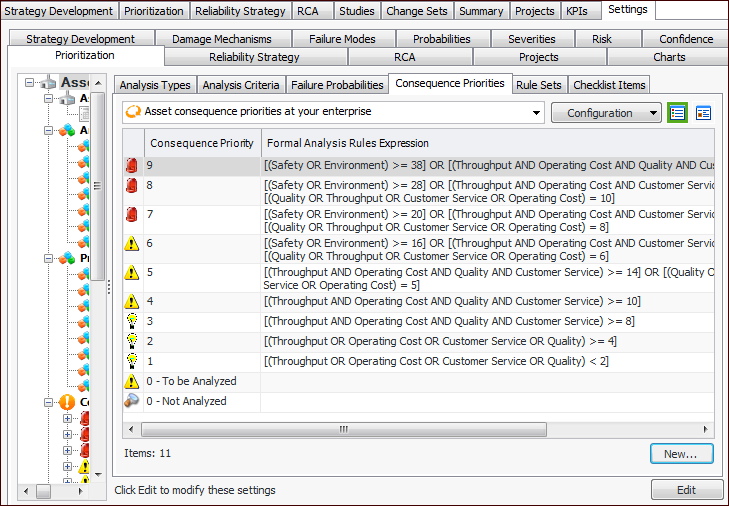
1. From the Site window, select the Strategy Development view, Settings tab. Select the Prioritization tab and the Asset prioritization settings node in the tree.Tip: You can also select the Administration menu, Strategy Development Settings, and then Asset Prioritization. The Asset Prioritization Settings dialog appears.
2. Select the Consequence Priorities tab. This tab lists the consequence priorities for your enterprise.
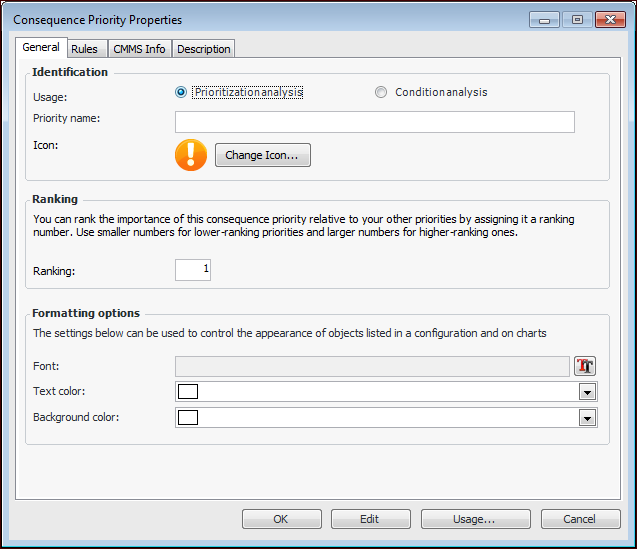
3. For each consequence priority you wish to add, click New. The Consequence Priority window appears.Note: The CMS Info tab appears only when interoperability settings are turned on for the SAP Plant Maintenance system in the enterprise. For more information, see APM Interoperability Guide for SAP Plant Maintenance.
4. On the General tab, enter the following settings:
5. In the Formatting options area, you can select a font, text color, and background color to distinguish this priority when it appears in table rows.Note: To have the formatting appear in a table’s rows, open the table configuration, select the Appearance tab, then the Table tab and Row Formatting tab. Select the join path to the consequence priority’s Font and color control attribute.
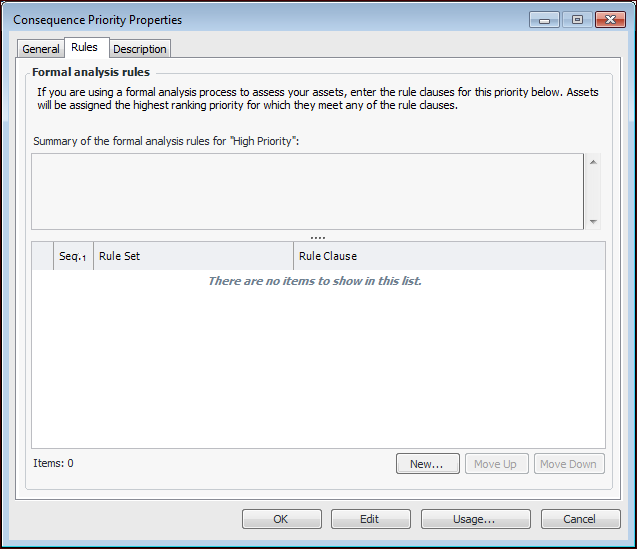
6. Select the Rules tab.
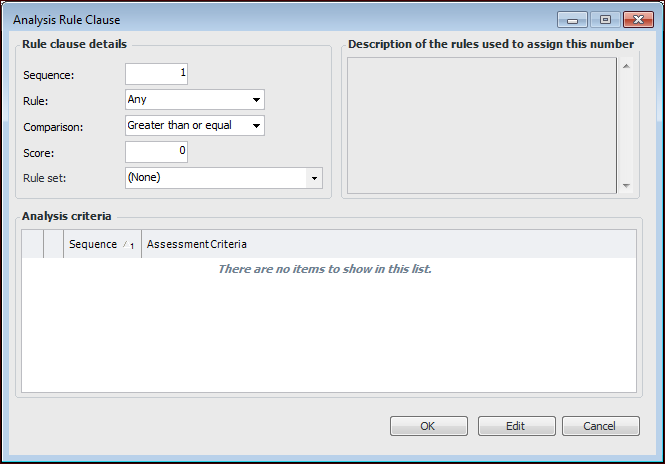
7. For each rule clause, click New. The Analysis Rule Clause dialog appears. For example:
Indicates whether the scores for the rule’s criteria are used individually or as a group. If each criterion’s consequence is to be used individually, select Any. If the scores of the criteria’s consequences are to be totaled with the resulting total used, select Sum.
10. Click OK to save this rule clause and close the dialog. The description generated when the rule is saved is added to the Description box on the Analysis Rule Clause dialog. It is also included in the Summary box on the Rules tab.
11. Click OK to save the consequence priority and close the window.Tip: Later, you can return to the window and click Usage to view a list of assets with this priority.