|
Setting up Circuit Types
Circuit types allow you to fine-tune the information that is shown in a circuit asset’s Circuit view.To Set up Circuit Types
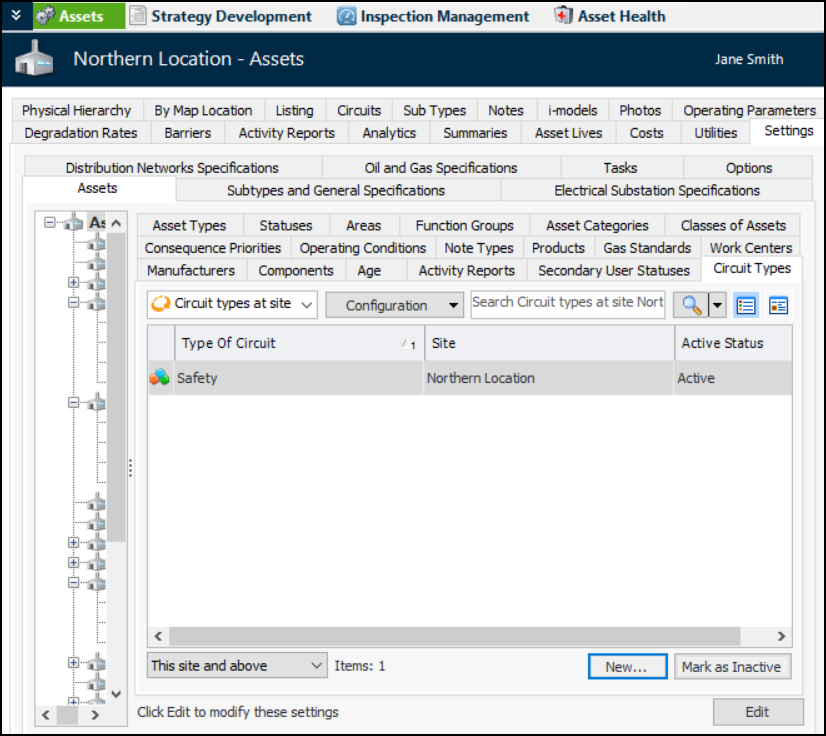
1. You can mark individual circuit types as “inactive” to prevent them from being available for selection. To deactivate or reactivate a type, select it in the list and click Mark as Inactive or Mark as Active. The Mark as Inactive/Active dialog appears, where you can enter a comment and click OK. Click OK in the confirmation message that appears. In the Note Type dialog, the Status tab shows the object’s active status, update date, update employee, and comment.
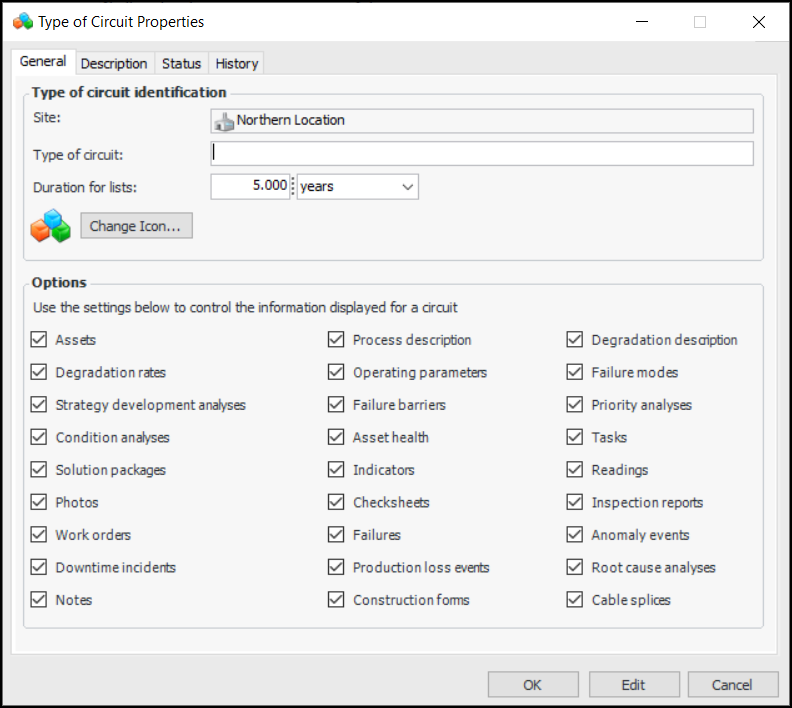
2. Click New. The Type of Circuit Properties dialog appears:
4. Duration for lists provides a filter for lists such as work orders. For example, the default value of “5 years” means that only work orders created in the last five years are displayed.
5. By default, all of the objects are selected in the Options area. Clear the options for objects that you do not wish to display in the Circuit view.
6. Click OK.