Setting up Asset Change Request Statuses

An asset change request’s status indicates its progress in the workflow, for example, “New request”, “Ready to send to interop”, or “Sent for approval”.
The status can be updated manually, by events in APM, or by AWEIS events. For information about APM events that can trigger status changes, see Setting up Change Request Events: Rules for Assigning Statuses.
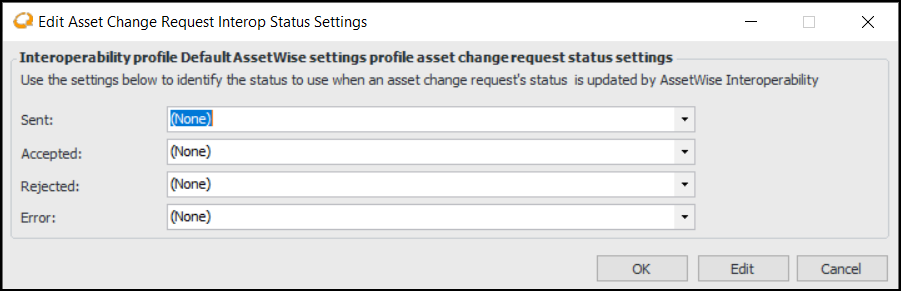
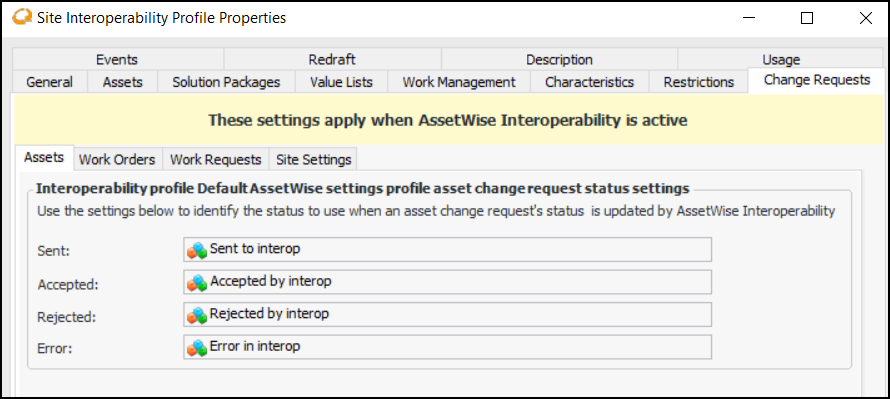
To ensure that statuses change appropriately in response to AWEIS events, assign the corresponding interop event to each change request status. You can do this in the site interoperability profile window or in asset change request settings. When you update them in one location, APM automatically modifies them in the other location.
For related information, see Setting up Site Interoperability Profiles for AWEIS.
Tip: To view asset change requests and their statuses, select the Site window, Assets view, and Change Requests tab.
This topic explains how:

To Set up an Asset Change Request Status

1.
From the Site window, select the Assets view, Settings tab. Select the Assets tab and the Asset management settings node in the tree.
Tip: You can also select the Administration menu, Asset Management Settings, and then Asset Management. The Asset Management Settings dialog appears.
2.
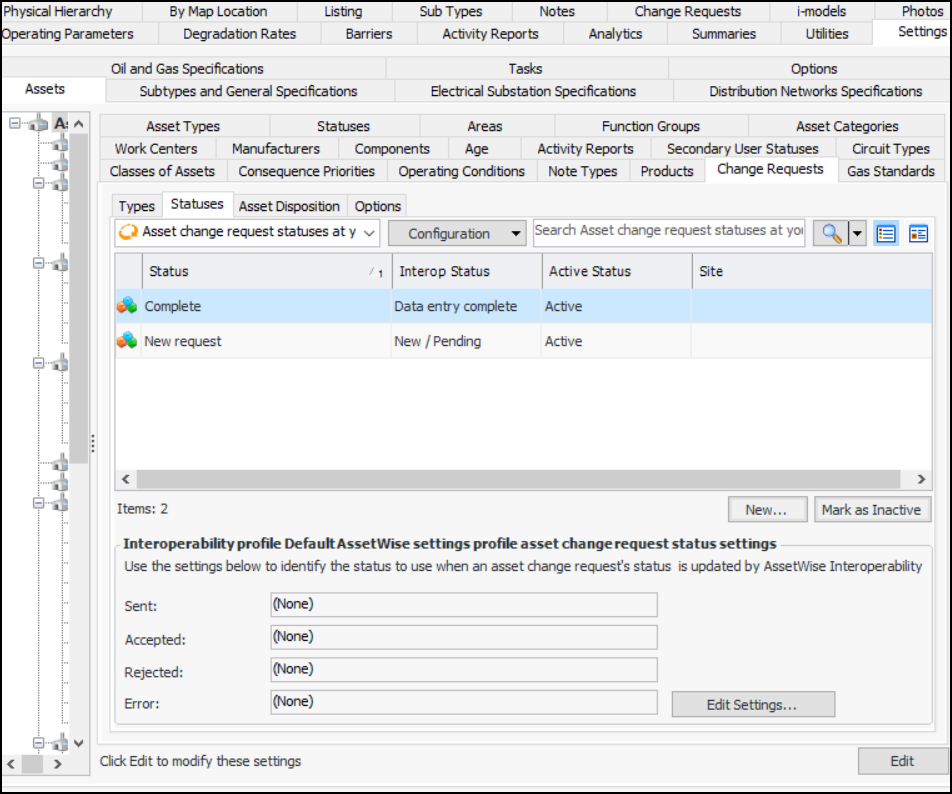
Select the Change Requests tab and then the Statuses tab. This tab displays the asset change request statuses for the enterprise. For example:
Tip: While statuses are being developed, you can mark them as inactive to prevent them from being selected. When you are ready to enable the status, select it in the table and click Mark as Active.
3.
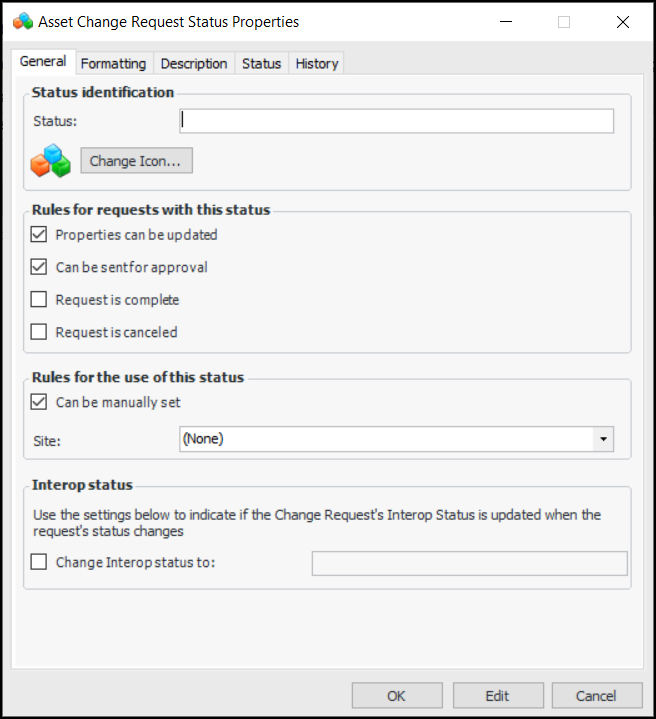
Click New. The Asset Change Request Status Properties dialog appears:
4.
5.
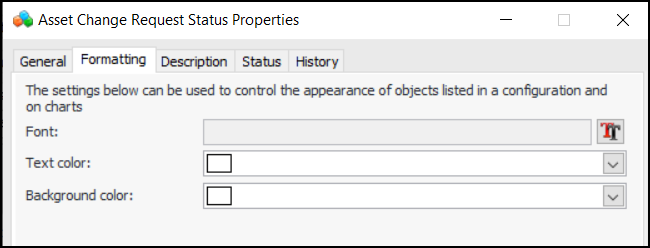
Select the Formatting tab.
6.
7.
Select the Description tab to add more information.
The Status tab displays the active status and history.
The History tab displays information about when the status was created and updated.
8.
Click OK to save the type and close the dialog.

To Update the Site Interoperability Profile
1.
Click Edit Settings at the bottom of the window. The Edit Asset Change Request Interop Status Settings dialog appears:
2.
3.
Click OK.
The site interoperability profile is automatically updated. For example: