Setting up Asset Age Calculations

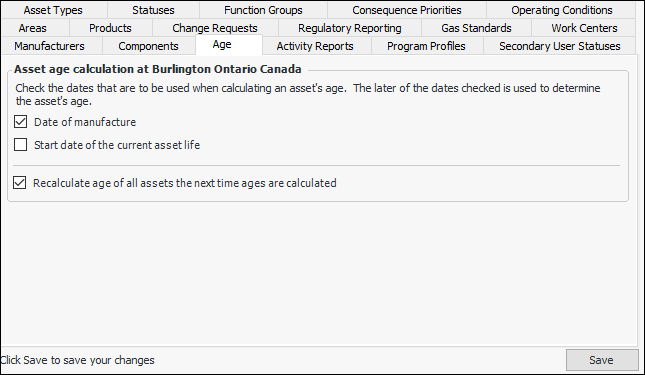
An asset’s age can be determined automatically, based on the date of manufacture or the asset’s current life start date. The asset’s age is often used in calculations for asset health monitoring.
This section describes how to set up asset age calculations.

To Set up Asset Age Calculations

1.
From the Site window, select the Assets view, Settings tab. Select the Assets tab and the Asset management settings node in the tree.
Tip: You can also select the Administration menu, Asset Management Settings, and then Asset Management. The Asset Management Settings dialog appears.
2.
Click Edit to modify the site settings. The Edit button is replaced by the Save button.
3.
Select the Asset Age tab. This tab displays the options for setting up asset age calculation.
4.
Note: If more than one date is checked, the later of the dates is used to determine the asset’s age.
5.
Click Save.
For information about manually updating the asset age calculations, see Updating Asset Age.
For information about scheduling an asset age update, see Creating a Scheduled Action.