Setting up Asset Areas

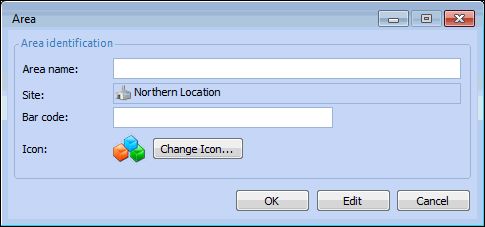
An asset can be associated with an Area, which identifies its physical location at the site. The area is used on checksheets to show all of the indicators within a particular region of the site or facility. A bar code identifier can also be associated with an area.

To Set Up Asset Areas

1.
From the Site window, select the Assets view, Settings tab. Select the Assets tab and the Asset management settings node in the tree.
Tip: You can also select the Administration menu, Asset Management Settings, and then Asset Management. The Asset Management Settings dialog appears.
2.
Select the Areas tab. This tab lists all of the areas created for the site.
3.
Click New. The Area dialog appears.
4.
5.
6.
You can click Change Icon to select a different image for the area.
7.
Click OK. The dialog closes and the area is added to the table.