Setting up Study Types

You can set up study types and reference them on studies.

To Set up a Study Type

1.
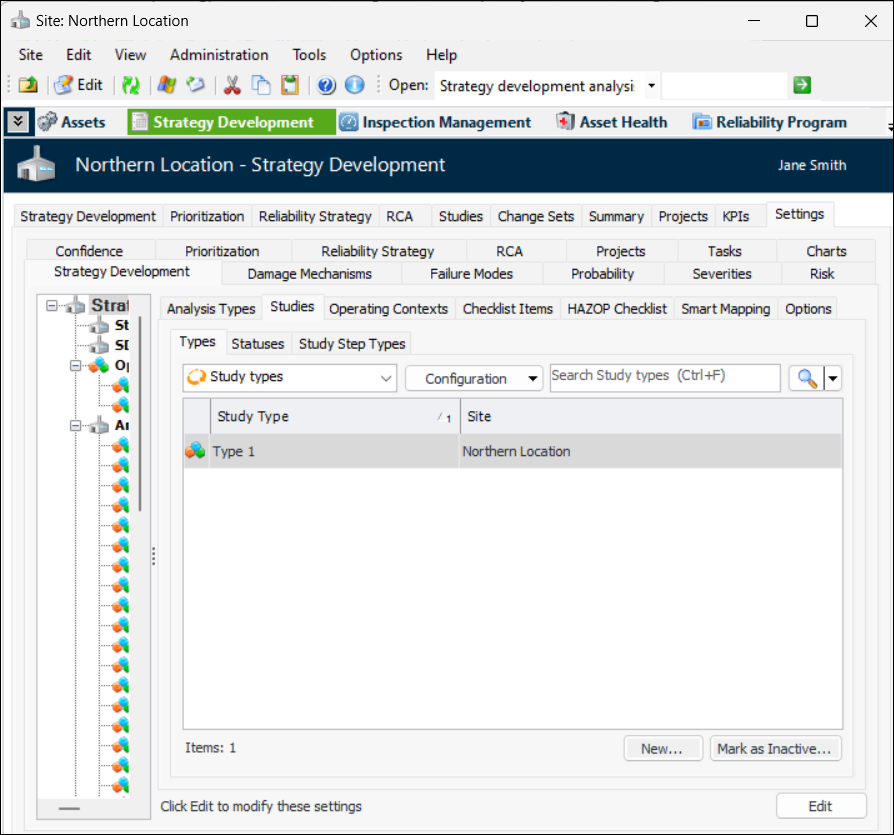
From the Site window, select the Strategy Development view, Settings tab and then the Strategy Development tab. Select the Strategy development settings node in the tree.
Tip: You can also select the Administration menu, Strategy Development Settings, and then Strategy Development. The Strategy Development Management Settings dialog appears.
2.
Select the Studies tab and then the Types tab. This tab lists all of the study types that have been defined for the site.
3.
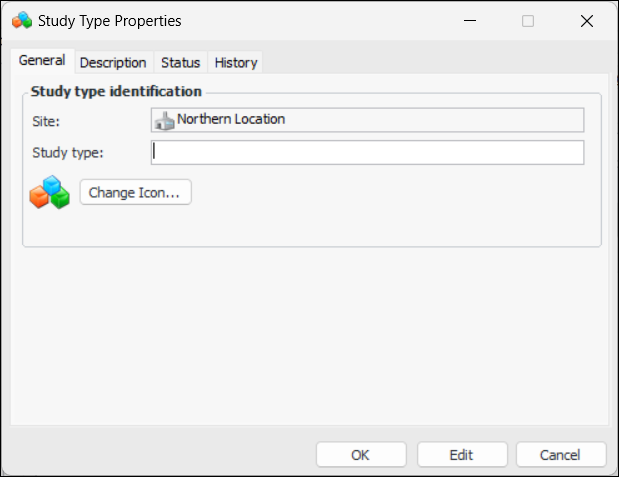
Click New. The Study Type Properties dialog appears:
4.
5.
To select a different icon for the type, click Change Icon. Select the new icon and then click OK.
6.
Select the Description tab to add information about the type.
The Status tab displays information about the type’s active status. The History tab displays information about the type’s creation and update history.
7.
When you are finished defining the type, click OK. The type is added to the Study Types table.