Setting up Reminder Priorities

Priorities represent the importance or urgency of reminders and assignments.
Note: Reminders are a generally available product feature. You must first enable feature 139 to use the functionality in APM. In the Enterprise window, select the Features view and the Enabled Features tab. Click Browse, select “Reminders and assignments” and click OK. If APM is running as a smart client, click Refresh Enabled Features on the server. Then restart the client to use the functionality.

To Create a Reminder Priority

1.
From the Site window, select the Work Management view and the Settings tab. Select the Reminders tab and the Reminder management settings node in the tree.
Tip: You can also select the Administration menu and then Reminders Settings.
2.
Select the Priorities tab.
3.
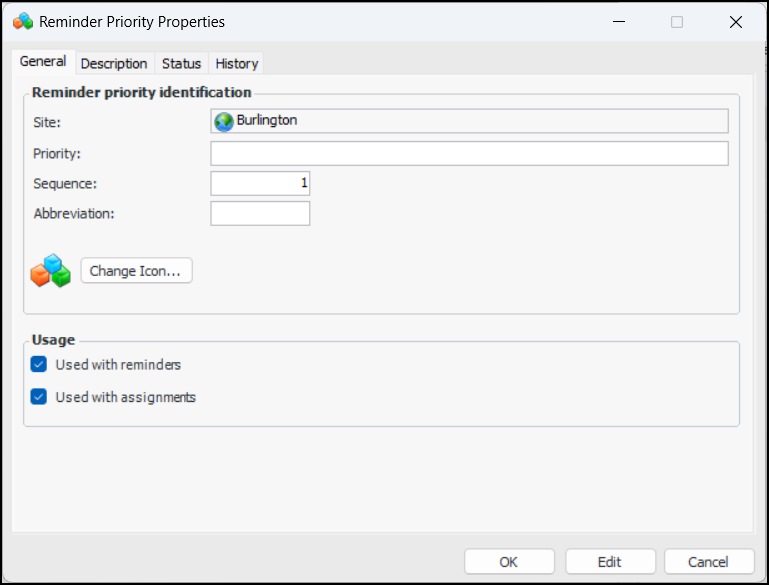
Click New to open the Reminder Priority Properties dialog.
4.
5.
6.
7.
8.
The Usage options identify the objects with which the priority can be used. Select or clear the options as appropriate:
9.
Select the Description tab to add more information about the reminder priority.
10.
Click OK to save the reminder priority and close the dialog. The priority is added to the Priorities tab.