Setting up RCA Analysis Types

Analysis types allow RCA records to be grouped for easy identification. At a basic level, the most useful root cause analysis types are “proactive” and “reactive”. You can create as many types as your organization needs.
This topic explains how to create an analysis type.

To Create an RCA Analysis Type

1.
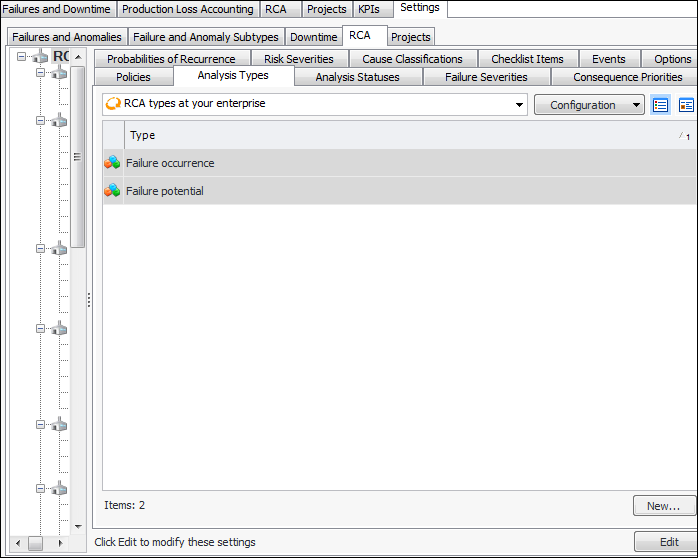
From the Site window, select the Performance Management view, Settings tab. Select the RCA tab and the RCA settings node in the tree.
Tip: You can also click the Administration menu, Performance Management Settings, and then RCA. The RCA Management Settings dialog appears.
2.
Select the Analysis Types tab. This tab lists the RCA types at your enterprise.
3.
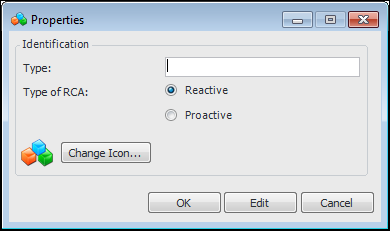
Click New. The Properties dialog appears.
4.
5.
6.
To change the icon for this analysis type, click Change Icon and select a different graphic.
7.
Click OK to save the type and close the dialog. The RCA type is added to the Analysis Types tab.