|
Setting up Probability of Recurrence Values for RCA
To Set up Probability of Recurrence Values
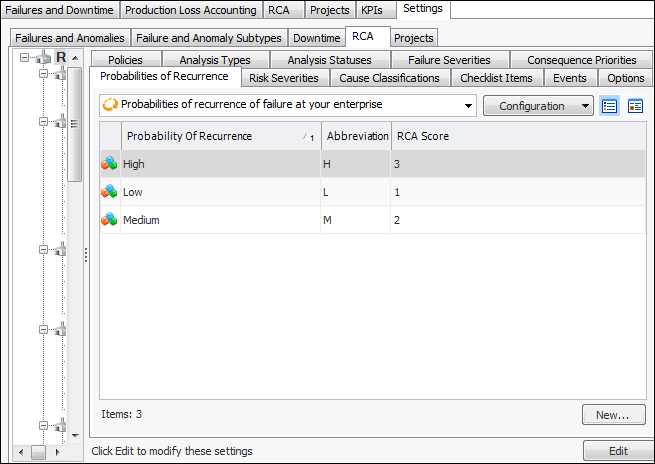
1. From the Site window, select the Performance Management view, Settings tab. Select the RCA tab and the RCA settings node in the tree.Tip: You can also click the Administration menu, Performance Management Settings, and then RCA. The RCA Management Settings dialog appears.
2. Select the Probabilities of Recurrence tab. This tab lists the values for your enterprise.
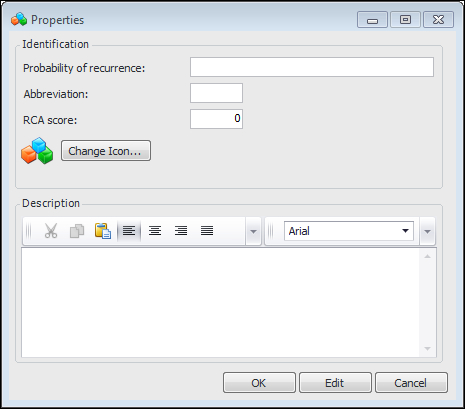
3. Click New. The Properties dialog appears.
6. In RCA score, enter a positive number to represent the probability in relation to the other values. The larger the number, the greater the probability. This value is used to evaluate a failure’s suitability for RCA.
7. To use a different icon to identify the probability, click Change Icon, select another graphic, and click OK.
8. In the Description box, enter instructions for using the probability.
9. Click OK. The probability of recurrence value is added to the tab.