Setting up RCA Recommendation Thresholds

Using the Failure window’s RCA view, you can evaluate a failure’s suitability for root cause analysis, based on the failure’s criticality index. APM calculates the criticality index as follows:
Criticality Index = Consequence priority * Failure Severity * Probability of Recurrence
The value of the criticality index, in turn, determines whether RCA is required, recommended, or not required.
This topic explains the elements of the failure evaluation tool and how to set up the RCA recommendation thresholds.

Consequence Priority

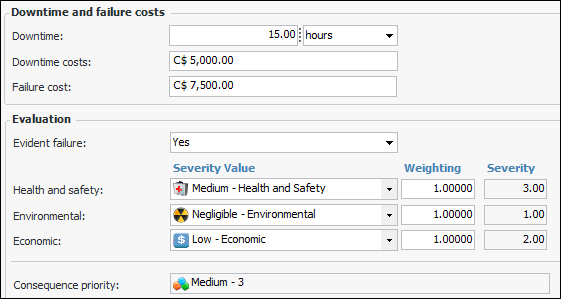
During the evaluation, the team specifies whether the failure is evident or hidden. Then they determine the failure’s consequence priority by selecting severity values for the health and safety, environmental, and economic consequences. For example:
Note: If the failure references a failure mode, severity values are copied from the failure mode’s risk analysis to the failure’s Consequences tab.
APM calculates the consequence priority by multiplying the severity values by their weighting factors and then applying a rule to the result. For example, the following rule could assign a consequence priority of “Medium”.
Any of(Environmental, Economic, Safety) Is equal to 3.00
Rules can also include the failure record’s downtime and failure costs. The larger the consequence priority number, the greater its priority.

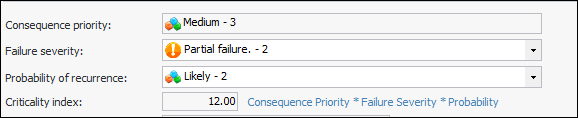
Criticality Index

The criticality index is calculated by multiplying the numbers assigned to the consequence priority, failure severity, and probability of recurrence. For example:

Recommendation

The failure’s evident/hidden value and its criticality index determine the RCA recommendation.
The recommendation is determined by the position of the criticality index value in the recommendation thresholds.
Possible recommendations are:

Setting up the Evaluation

To set up the evaluation, the following values must be defined:

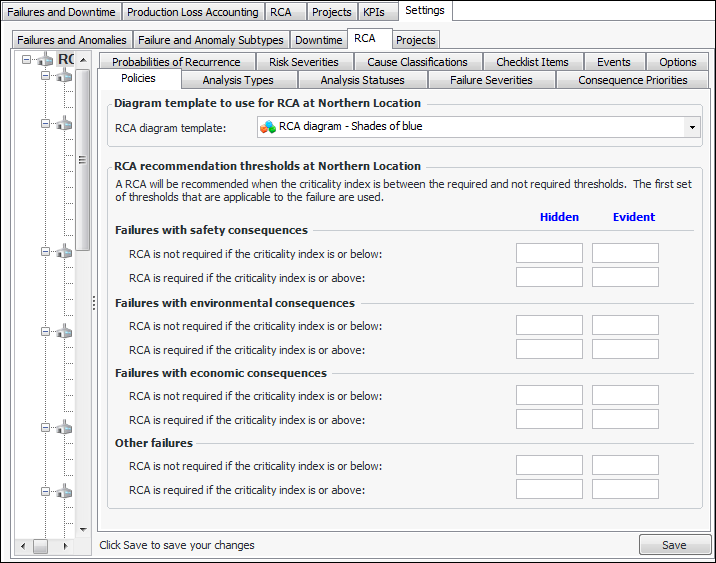
RCA Recommendation Thresholds

For each of the consequences, specify the range of criticality indices for hidden and evident failures. The ranges work like this:
Failures that result in health and safety consequences typically have equal weight with environmental consequences. Hidden failures are given more attention than evident ones. Here is an example of recommendation thresholds.
2
10
4
10
2
10
4
10
2
6
4
8
1
10
10
12
The first set of thresholds that apply to the failure is used.

To Set up RCA Recommendation Thresholds
1.
From the Site window, select the Performance Management view, Settings tab. Select the RCA tab and the RCA settings node in the tree.
Tip: You can also click the Administration menu, Performance Management Settings, and then RCA. The RCA Management Settings dialog appears.
2.
Select the Policies tab.
3.
Click Edit to modify the site settings. The Edit button is replaced by the Save button.
4.
5.
Click Save.