|
Setting up Severity Evaluation Score Sets
To Set up a Severity Evaluation Score Set
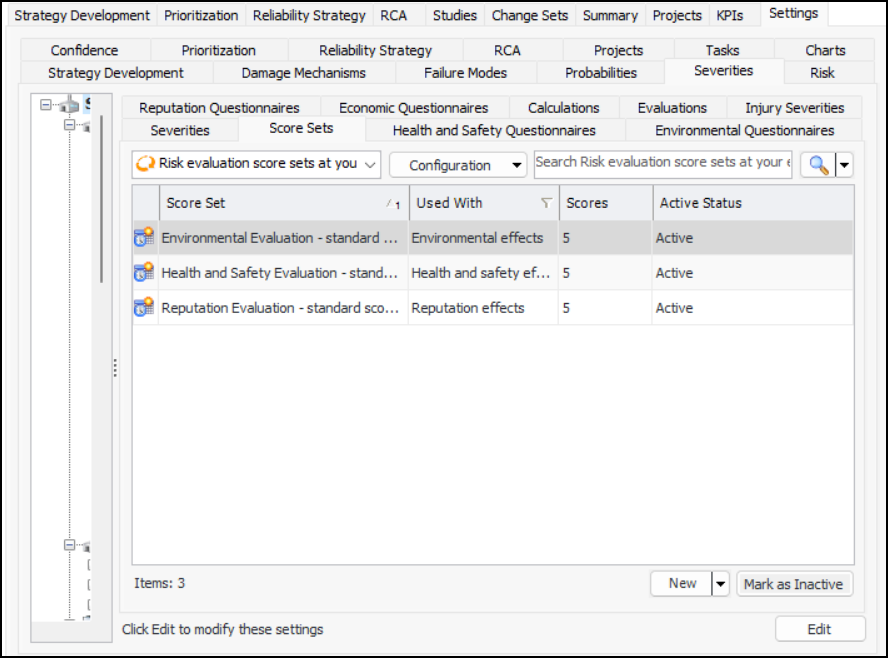
1. On the site’s Strategy Development view, select the Settings tab, the Severities tab, and the Severities settings node in the tree.Tip: You can also select the site’s Administration menu, Strategy Development Settings, Risk Analysis and then Severities. The Strategy Development - Severities Settings dialog appears.
2. Select the Score Sets tab. For example:Note: You can prevent a score set from being used while it is in development. Select it in the table and click Mark as Inactive. When it is ready for users, mark it as active again.
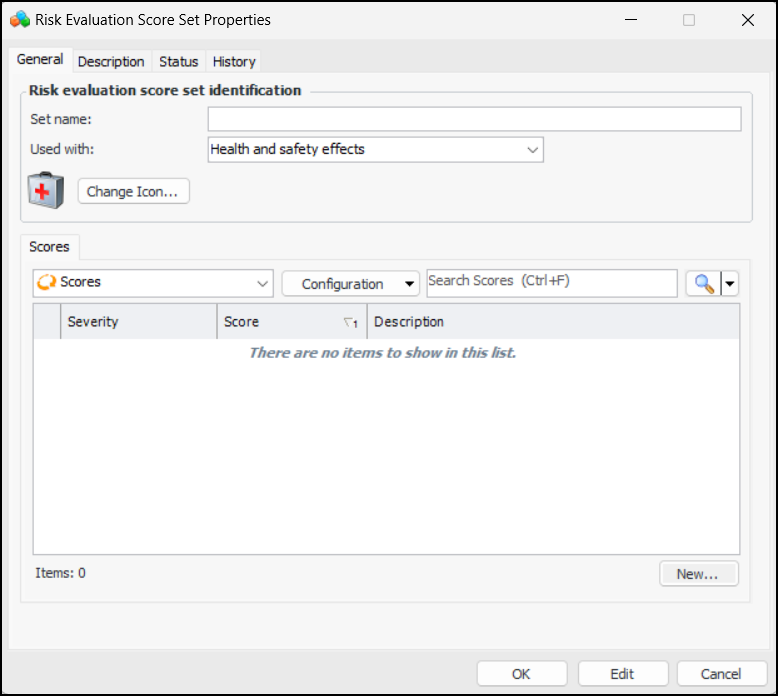
3. Click New. The Risk Evaluation Score Set dialog appears. For example:
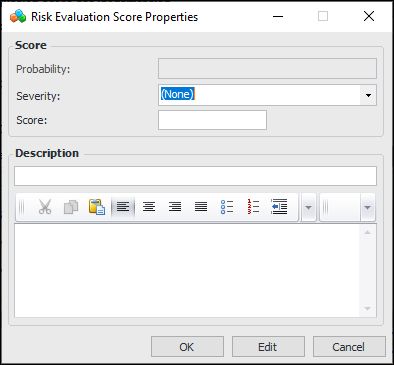
5. For each severity that the set will use, click New. The Risk Evaluation Score dialog appears:
7. In the Description box, provide a brief name for the score. You can provide more information in the box below it.
8. Click OK to close the Risk Evaluation Score dialog. The score is added to the table.
9. When you are finished adding scores, click OK to close the Risk Evaluation Score Set dialog. The score set is added to the table.