Setting up Failure Probabilities

The probability of failure is used to quantify the likelihood of a failure occurring. Each probability can be assigned to one or more score sets. In each score set, the probability is given a score. The scores are used to rank the failures based on the probability that they will occur. The more likely a failure could occur, the higher the score.
APM comes with five standard failure probabilities:
You can edit the existing probabilities or add new ones for your organization. If you are setting up a probability questionnaire, you can associate each probability with a question used in the evaluation form.
Probability of failure evaluation options can be set for each of the analysis types. For example, you can specify that, for RCM2 analyses, probability of failure can be based on estimated time between failure (ETBF) without maintenance or completed evaluation forms. You can make both of these processes available so that analysts can select one based on the requirements of a particular failure mode. For more information, see Setting Risk Analysis Options for Analysis Types.
Note: Alternatively, probability evaluations can be based on likelihood of failure and demand rate. In this case, the other options are not available.
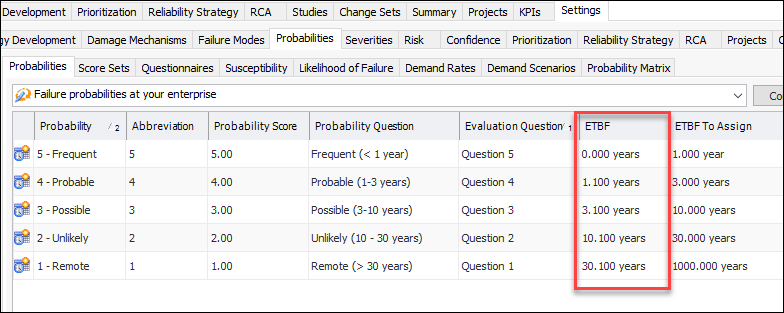
If probability of failure can be based on estimated time between failure (ETBF), each failure probability must include the start of the ETBF range (for example, 0 years) and the ETBF to assign (for example, 1 year) when the probability is selected. The highest ETBF must have a value of 0. For example:
When using ETBF to perform risk analysis on a failure mode, you can enter the estimated time between failure on the Criticality tab. If the TBF is greater than any of the ETBF values, the largest ETBF is selected as the probability of failure score.

To Set up a Failure Probability

1.
From the Site window, select the Strategy Development view, Settings tab and then the Probabilities tab. Select the Probability of Failure Settings node in the tree.
Tip: You can also select the Administration menu, Strategy Development Settings, Risk Analysis, and then Probabilities. The Strategy Development - Probability of Failure Settings dialog appears.
2.
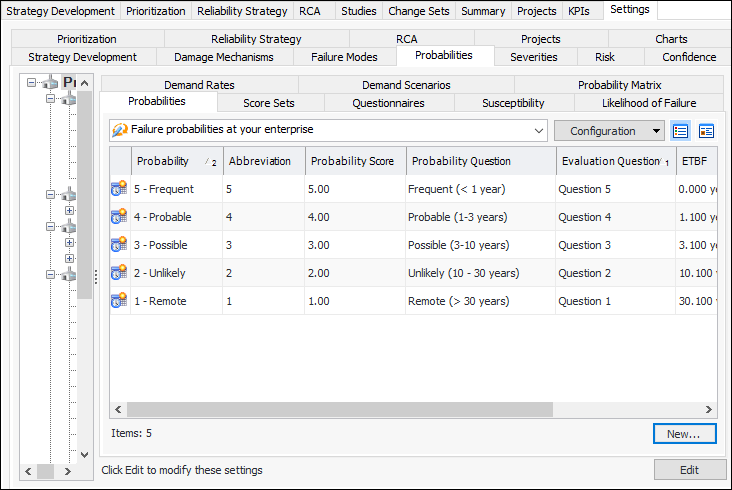
Select the Probabilities tab. For example:
3.
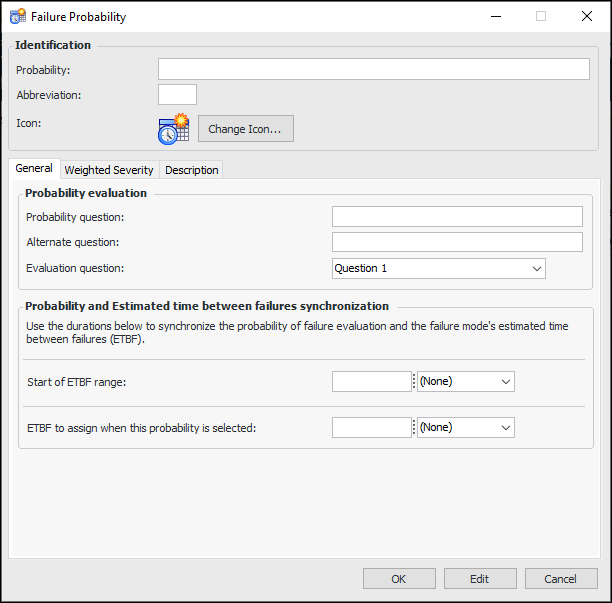
Click New. The Failure Probability dialog appears.
4.
Probability of failure can be determined using the analyst’s estimate of the time between failures when no maintenance is scheduled for the asset. In this case, the analyst enters the ETBF on the Criticality tab of the Failure Mode window, rather than using the probability questionnaire. APM then assigns a probability score and name by comparing the entered value to the Start of ETBF range settings.
5.
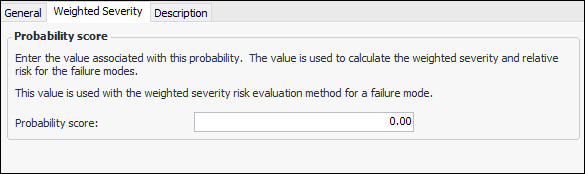
Select the Weighted Severity tab.
6.
7.
Enter additional information about the probability in the Description tab, for example, “The actual corrosion rate is higher than design”.
8.
Click OK to close the Failure Probability dialog. The probability is added to the table.