Setting up Detectability Values

In risk analysis, detectability refers to the ability of the system or process to detect a hazardous event. When support for detectability is enabled in an analysis, the relative risk calculation becomes:
(Economic severity score + Health and safety severity score + Environmental severity score + Reputation severity score) * Probability score * Detectability score = Relative Risk Number
When you are setting up APM to use detectability, first populate the list of detectability values in Probability settings. Lower scores are used for failures that are easy to detect and higher scores for failures that are harder to detect.

To Create a Detectability Value

1.
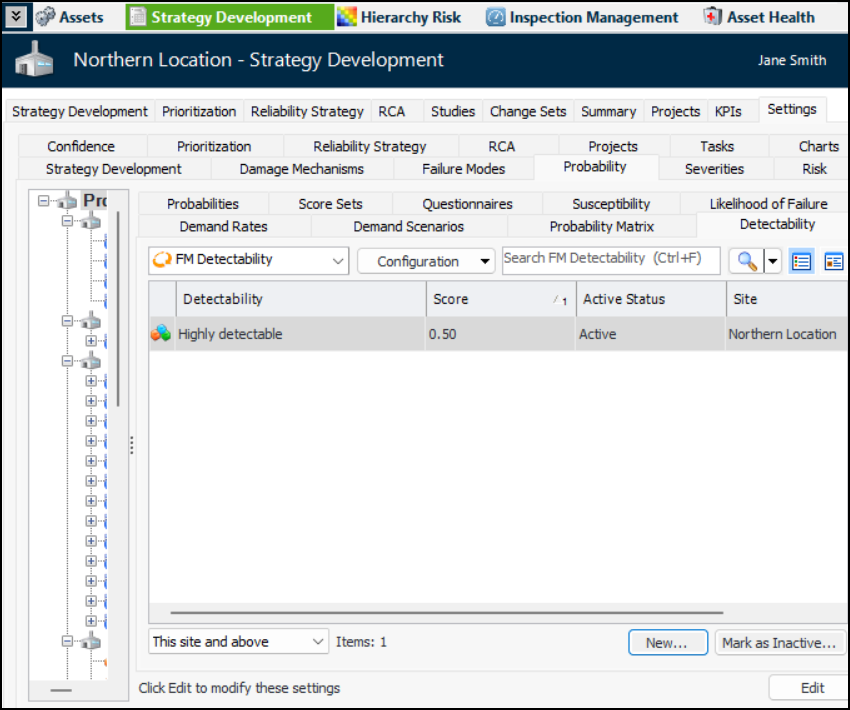
On the site’s Strategy Development view, select the Settings tab, the Probabilities tab, and the Probability Settings node in the tree.
Tip: You can also select the site’s Administration menu, Strategy Development Settings, Risk Analysis, and then Probabilities. The Strategy Development – Probability of Failure Settings dialog appears.
2.
Select the Detectability tab.
3.
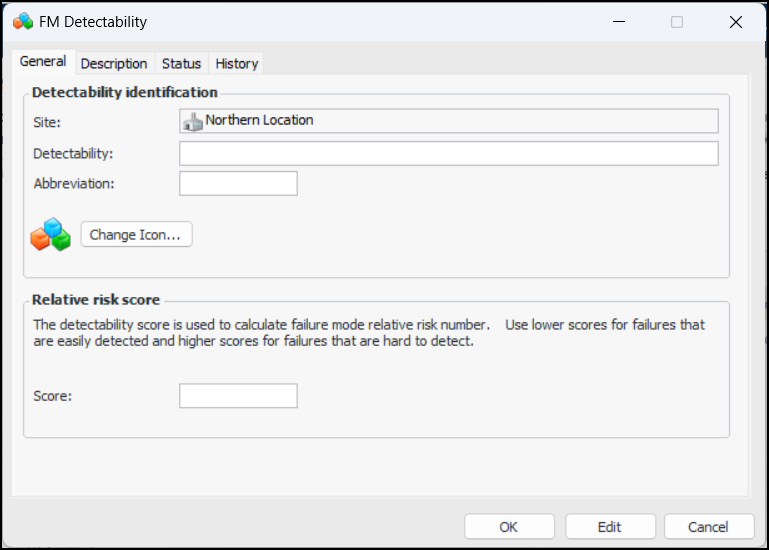
Click New. The FM Detectability dialog appears:
4.
5.
6.
If you wish to change the image that represents the value, click Change Icon, select a different graphic, and click OK.
7.
In the Relative risk score area, enter the score number.
8.
Select the Description tab to provide more information.
9.
Click OK to save the value and close the dialog. The value is added to the FM Detectability table.