Setting up a Probability of Failure Criteria Matrix

Probability of failure criteria matrices are used in asset prioritization analyses for assets that require detailed or formal probability of failure assessments. When setting up a matrix, you can add as many as eight criteria and then generate entries: one for each combination of criteria. The last step is to open each entry and assign a unique probability. You can then assign the matrix in an analysis type.
Note: To use this functionality in APM, you must first enable feature 39. In the Enterprise window, select the Customization Center view and the Enabled Features tab. Click Browse, select “Criteria based probability evaluation on an asset prioritization analysis”, and click OK. If APM is running as a smart client, click Refresh Enabled Features on the server. Then restart the client to use the functionality.
In the analysis, when APM calculates scores, it selects a probability based on the selection policy chosen in the analysis type. If the selection method is “Probability criteria matrix”, APM chooses the entry that most closely matches the probability score.
This topic explains:

Example of a Matrix

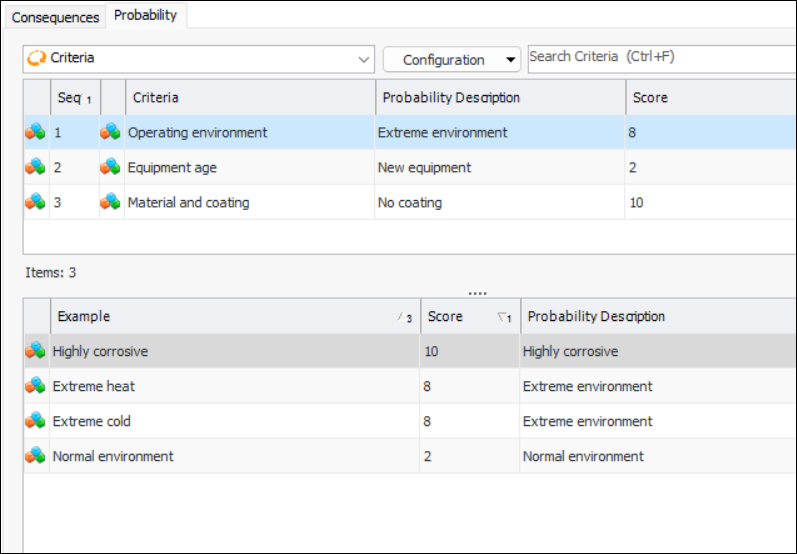
In this example, the matrix uses three criteria, each with two details. This would result in a matrix with 27 entries. Here is an excerpt from this matrix once the entries have been assigned probabilities:
When performing the probability assessment, if the analyst selects the following options:
In the example, the resulting probability of failure will be calculated as “Failures occur monthly - 8”.

To Create a Criteria Matrix

1.
From the Site window, select the Strategy Development view, Settings tab. Select the Prioritization tab and the Asset prioritization settings node in the tree.
Tip: You can also select the Administration menu, Strategy Development Settings, and then Asset Prioritization. The Asset Prioritization Settings dialog appears.
2.
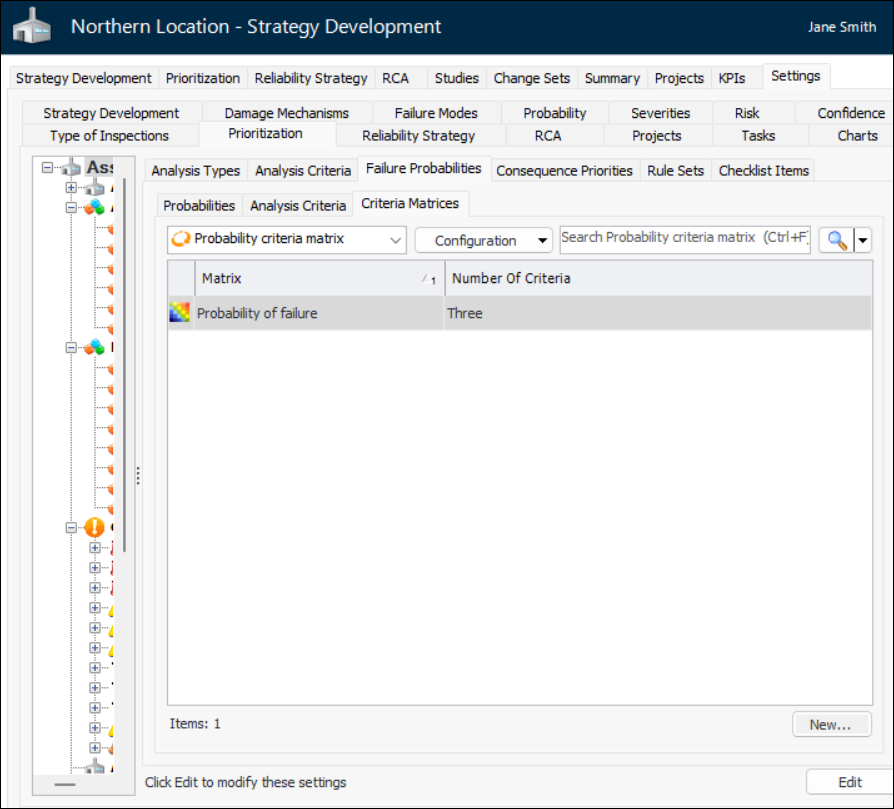
Select the Failure Probabilities tab and the Criteria Matrices tab. For example:
3.
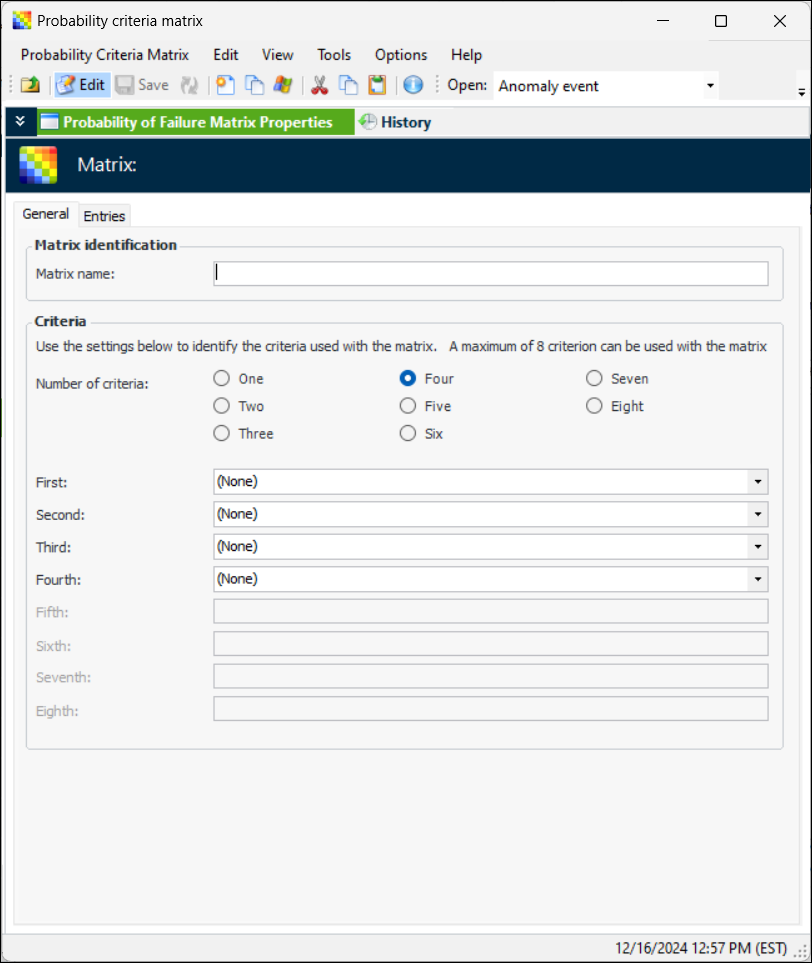
Click New. The Probability Criteria Matrix window appears:
4.
5.
6.
7.
Select the Entries tab.
8.
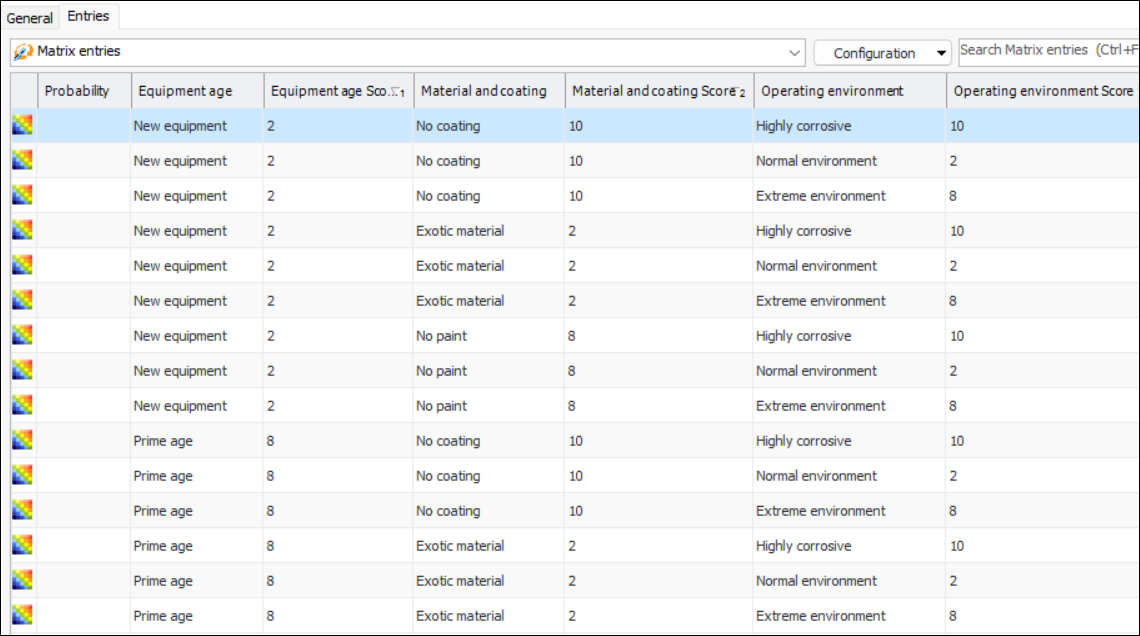
Click Generate Entries. In the confirmation window that appears, click Yes. The entries are generated and an information window displays the number created. Click OK to close the window.
The Entries tab now lists an entry for each combination of criterion, description, and example. For example:
9.
10.
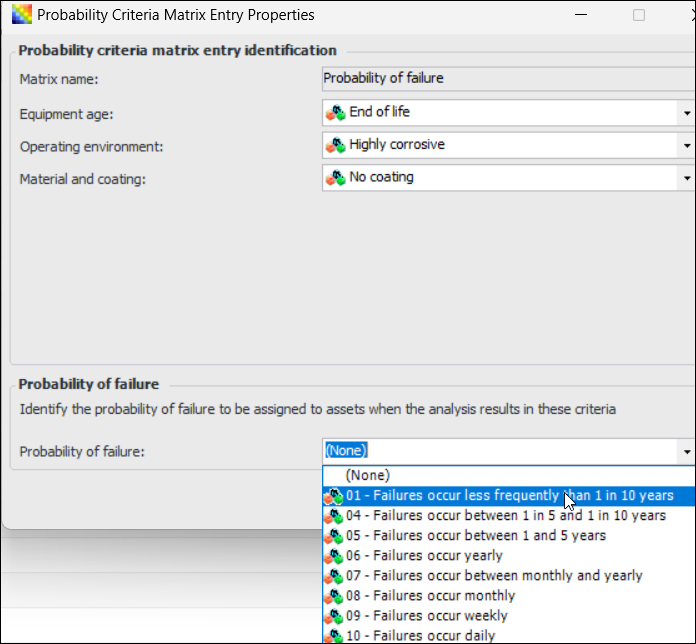
Click OK to close the Probability Criteria Matrix Entry Properties dialog.

To Assign a Matrix to an Analysis Type
1.
From the Site window, select the Strategy Development view, Settings tab. Select the Prioritization tab and the Asset prioritization settings node in the tree.
Tip: You can also select the Administration menu, Strategy Development Settings, and then Asset Prioritization. The Asset Prioritization Settings dialog appears.
2.
Select the Prioritization tab and the Analysis Types tab.
3.
4.
5.
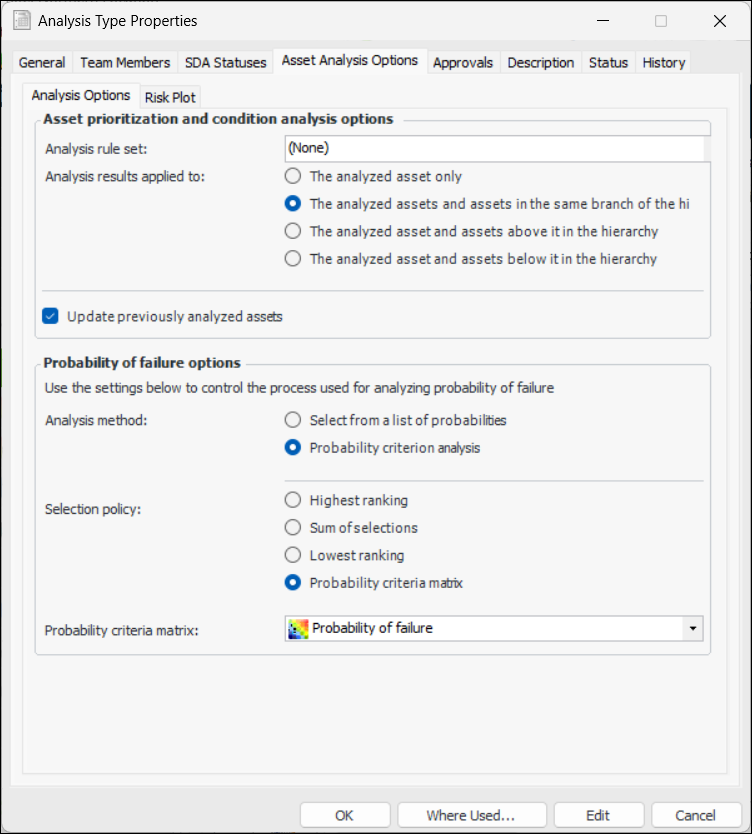
Select the Asset Analysis Options tab.
6.
In the Probability of failure options area, select Probability criterion analysis as the analysis method.
7.
For the select policy, select Probability criteria matrix.
8.
9.
Click OK to save the analysis type and close the window.
For more information, see Setting up Analysis Types for Asset Prioritization.