Setting up Criteria for Prioritization Analysis

Analysis criteria are the business goals that each asset is evaluated against when an asset prioritization analysis is conducted. Usually, you will use six or seven criteria such as safety, environment, quality, throughput, operating cost, and customer service.
 
The prioritization criteria are enterprise-wide, although you can define rule sets for groups of assets or sites. Criteria are typically developed by the key stakeholders and reflect overall business goals.
During an asset prioritization analysis, you will select a consequence for each criterion. The score for the selected consequence is assigned to the asset. The scores for all criteria are used to determine the asset’s priority.
After criteria have been determined, stakeholders decide if any of the criteria should be given more importance. This is done by setting the maximum score for each criterion. This is the highest score a criterion can attain during an analysis; the higher the score, the more critical the result of failure. For example, the criterion Safety might be given a maximum score of 40 points and Operating Cost only 10 points. Safety then contributes more points to the overall priority score and thus is a more important criterion.
As a general rule, safety and environment are given equal maximum scores, while the sum of all operating consequences is equal to the maximums for safety and environment.
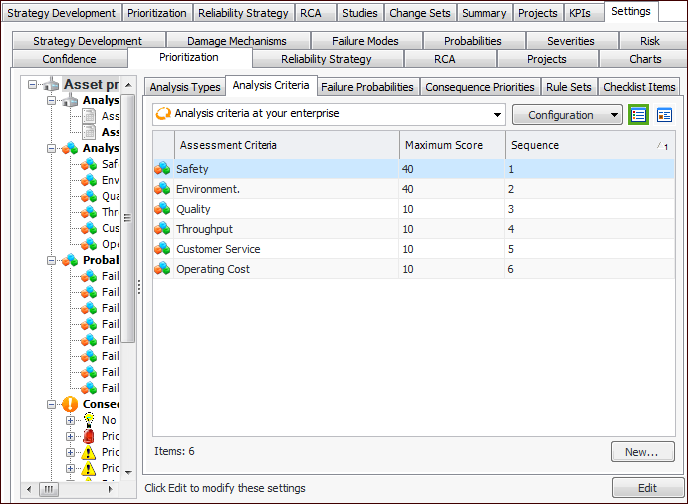
The system comes with six criteria already defined. These are the most commonly used criteria for analyses. You can use all, some, or none of these criteria.
Notice that the maximum scores for operating consequence criteria (quality, throughput, customer service, and operating cost) sum to a total of 40 points.

Weighting Factors

You can assign weighting factors (whole numbers greater than 0) to analysis criteria to raise or lower the significance of individual criteria. The consequence score is multiplied by the weighting factor. For example:

To Define an Analysis Criterion

1.
From the Site window, select the Strategy Development view, Settings tab. Select the Prioritization tab and the Asset prioritization settings node in the tree.
Tip: You can also select the Administration menu, Strategy Development Settings, and then Asset Prioritization. The Asset Prioritization Settings dialog appears.
2.
Select the Analysis Criteria tab.
3.
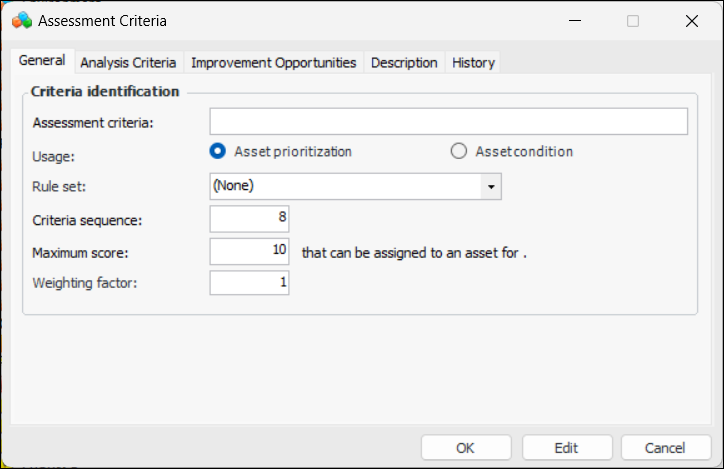
Click New. The Assessment Criteria dialog appears.
4.
On the General tab, enter the following information:
5.
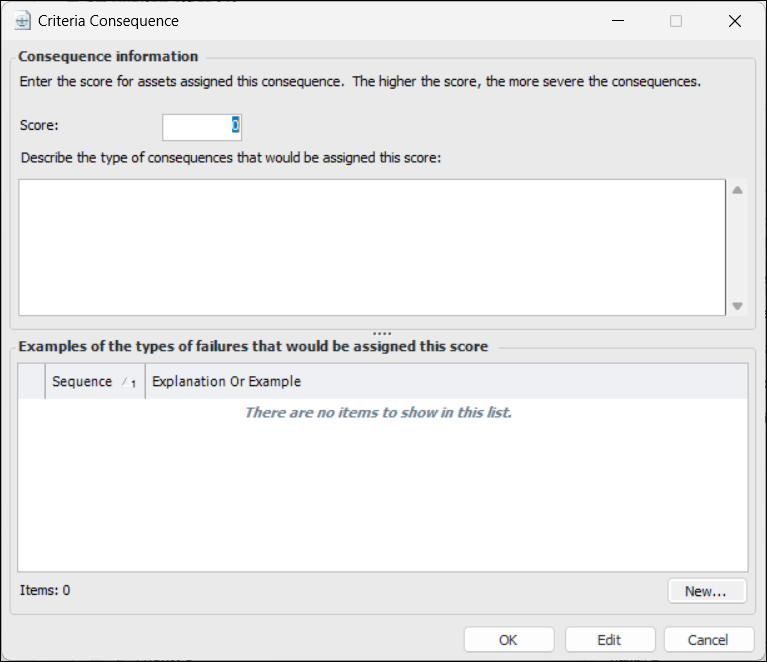
Select the Analysis Criteria tab. For each consequence you wish to add, click New. The Criteria Consequence dialog appears:
6.
7.
8.
9.
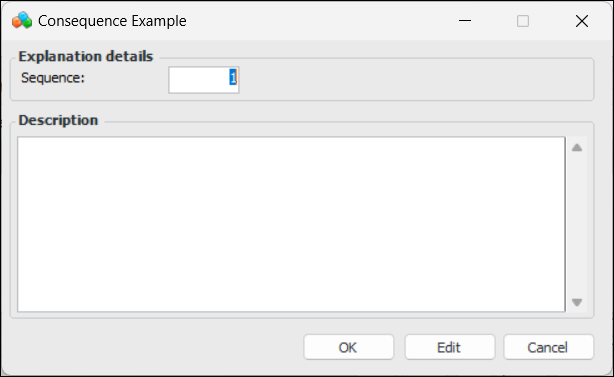
Click OK to save the example or explanation.
10.
Click OK to save the criteria consequence.
11.
On the Improvement Opportunities tab, you can enter the types of improvements that can be made for this criterion.
12.
When you are finished, click OK to save the criterion.
For more information, see Defining Improvement Opportunities.