
|
Setting the Policy for Start Date Prompting
To Set up the Start Date Policy
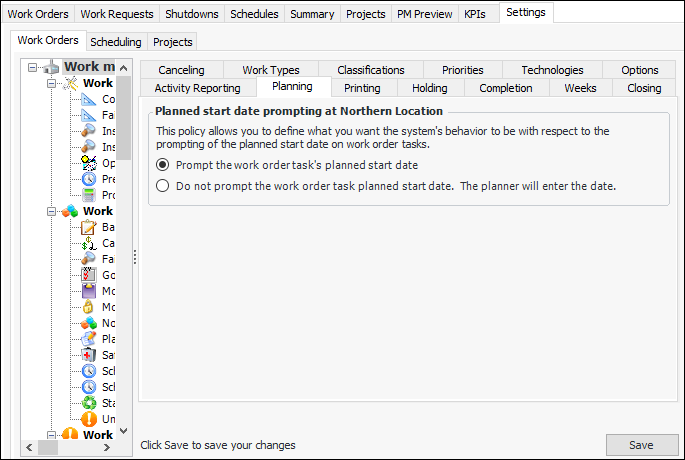
1. From the Site window, select the Work Management view and the Settings tab. Select the Work Orders tab and the Work management settings node in the tree.Tip: You can also select the Administration menu and then Work Management Settings. The Work Management Settings dialog appears.
2. Select the Planning tab.
3.
• Prompt the work order task’s planned start date: The system enters the current date and time as the default start date. Planners will be able to change this default date.
• Do not prompt the work order task’s planned start date: The system leaves the planned start date blank, and the planner must enter a date. A warning message is displayed if the planned start date is blank when the task is saved.
5. Click Save to save your settings.