
Setting up the Policy for Recording PM Generation Errors

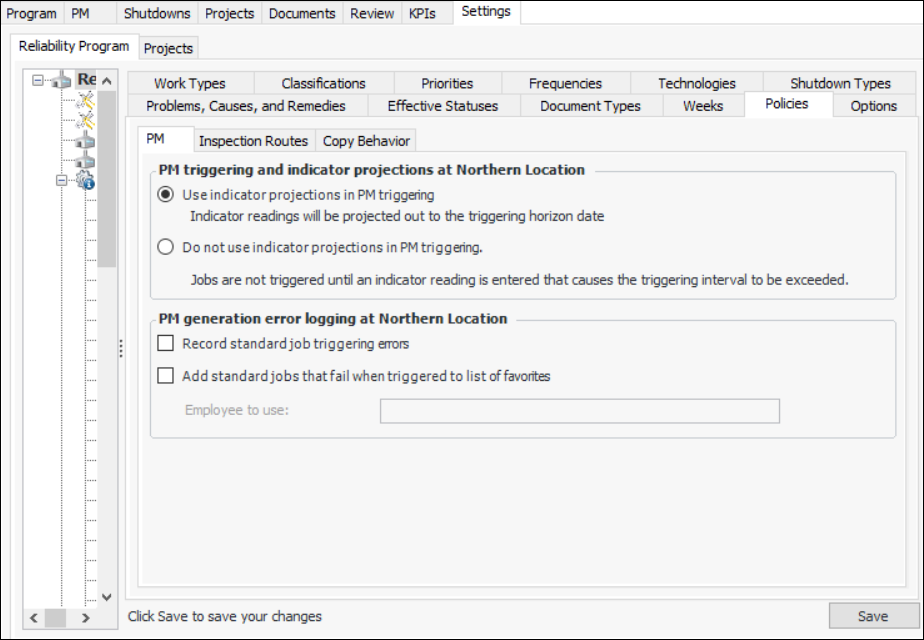
You can specify how APM responds when a problem prevents work orders from being generated from standard jobs. You can choose to have triggering errors recorded and displayed in the Reliability Program view, PM tab, Triggering Errors tab. You can also have the error information recorded in an APM favorite for a specified employee.
If neither of these options are selected for the site, errors that occur are only displayed as error messages at the time they occur. If you are using the Generate PM Work Orders scheduled action, error messages are not generated.

To Set the Policy for Recording PM Generation Errors for a Site
1.
From the Site window, select the Reliability Program view and the Settings tab. Select the Reliability Program tab and the Reliability program settings node in the tree.
Tip: You can also select the Administration menu and Reliability Program Settings. The Reliability Program Settings dialog appears.
2.
Select the Policies tab.
3.
Click Edit to modify the site settings. The Edit button is replaced by the Save button.
4.
In the PM generation error logging section, select the options for this site:
The designated employee can log on to APM and select the site’s Favorites view to review standard jobs for which errors occurred during PM generation.