
|
Setting up Timecard Rules
To Set Timecard Rules for a Site
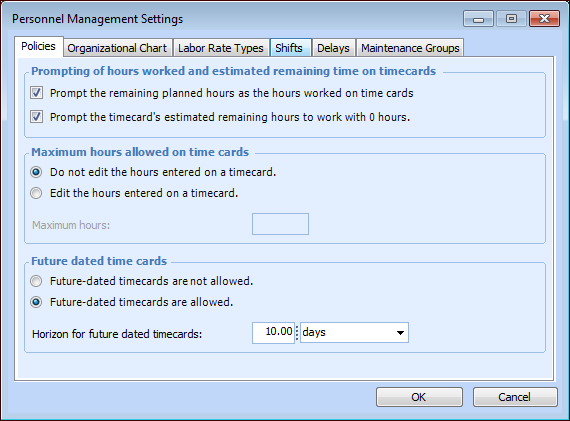
1. From the Site window, select the Administration menu and Personnel Management Settings. The Personnel Management Settings dialog appears.
2. Select the Policies tab.
Select this option to have the system prompt the timecard's Hours worked box with the remaining planned hours. If you select not to prompt the planned hours, the Hours worked box will be blank on the timecards.
Select this option to have the system enter “0” as the default Remaining time on timecards. If you clear this option, the Remaining time box will be blank by default.
If you select the option Edit the hours entered on a timecard, you must also enter the maximum number of hours.
Whether or not users can enter timecards for a future date and time. If you select the option Future dated timecards are allowed, you must also enter the period of time for which users can enter future dated timecards (for example, one day or one week into the future).
4. Click OK.