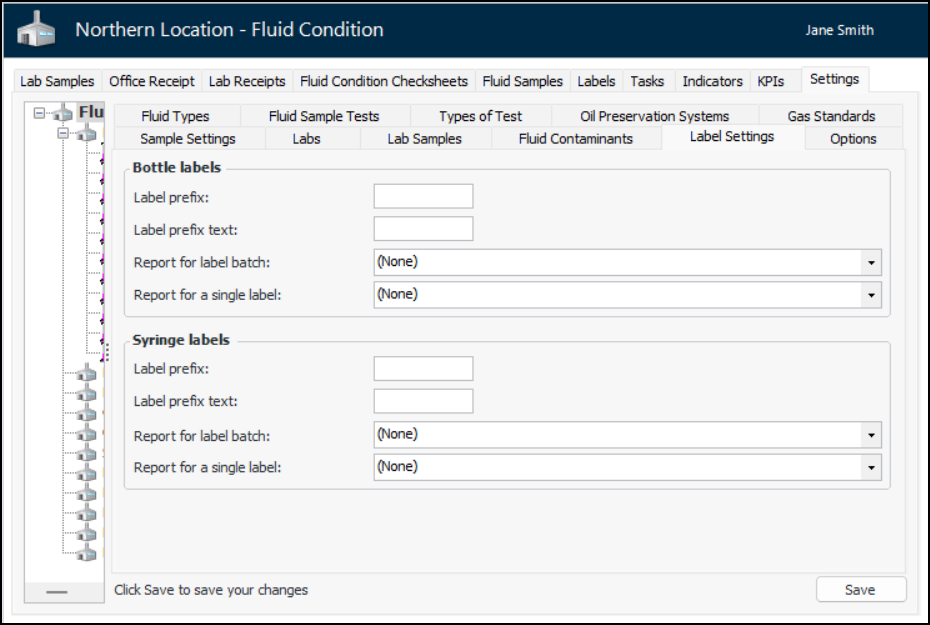
Setting Label Defaults for the Site

The Generate and Print Labels function is used to print a set of bar code labels for bottles or syringes to attach to receptacles that can then be distributed to inspectors to use when taking samples. At the site level, you can set the default values to use in the labels.

To Set Label Defaults for the Site

1.
From the Site window, select the Fluid Condition view, Settings tab. Select the Fluid Condition Settings node in the tree.
Tip: You can also click the Administration menu and Fluid Condition Settings. The Fluid Condition Settings dialog appears.
2.
Select the Label Settings tab.
3.
Click Edit to modify the site settings. The Edit button is replaced by the Save button.
4.
5.