|
Defining Failure or Anomaly Types and Classifications
If your APM environment is configured to use AssetWise Enterprise Interoperability (AWEIS) and anomaly risk assessment integration, you can select types and classifications for anomaly events. For more information, see Setting up APM for Anomaly Risk Assessment and Integration.To Define Failure Types
1. From the Site window, select the Performance Management view, Settings tab. Select the Failures Events tab and the Failure event management settings node in the tree.Tip: You can also click the Administration menu, Performance Management Settings, and then Failure Event Management. The Failure Event Management Settings dialog appears.
2.
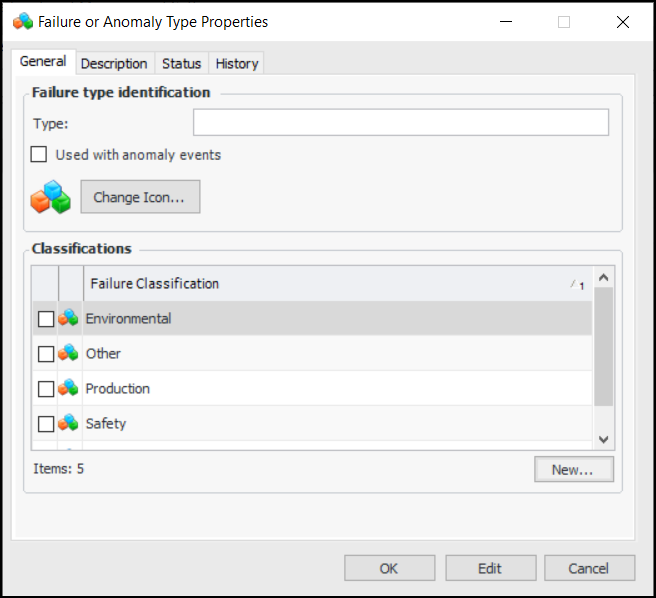
4. If available, you can click Used with anomaly events so that the type is available in anomaly events as an anomaly type.
5. You can change the icon by clicking Change Icon and selecting another graphic.
7. To create a new failure classification, click New. The Failure Classification dialog appears. Provide the classification with a name and click OK to save it and close the dialog. In the Failure Type Details dialog, select the new classification.
8. Click OK to save the failure type and close the dialog.To Define Failure Classifications
1. From the Site window, select the Performance Management view, Settings tab. Select the Failures Events tab and the Failure event management settings node in the tree.Tip: You can also click the Administration menu, Performance Management Settings, and then Failure Event Management. The Failure Event Management Settings dialog appears.
2.
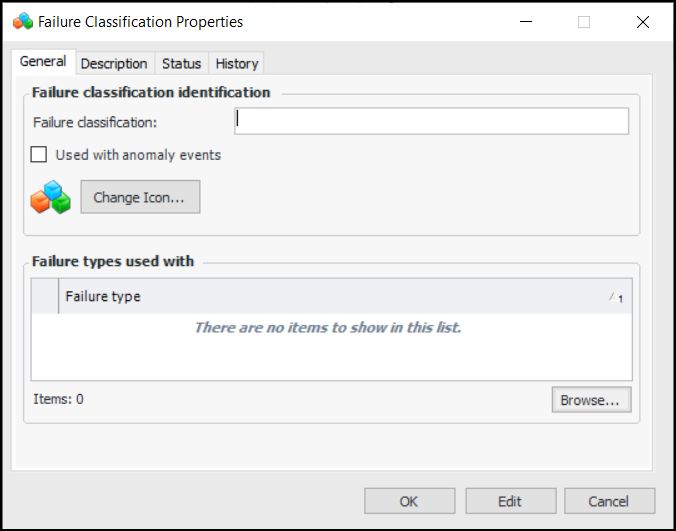
4. If available, you can click Used with anomaly events so that the classification is available in anomaly events as an anomaly classification.
5. You can change the icon by clicking Change Icon and selecting another graphic.
6. Click Browse to specify which failure types can be used with the classification.
7. Click OK to save the classification and close the dialog.