
Setting Options for Charting Indicator Readings for Failures
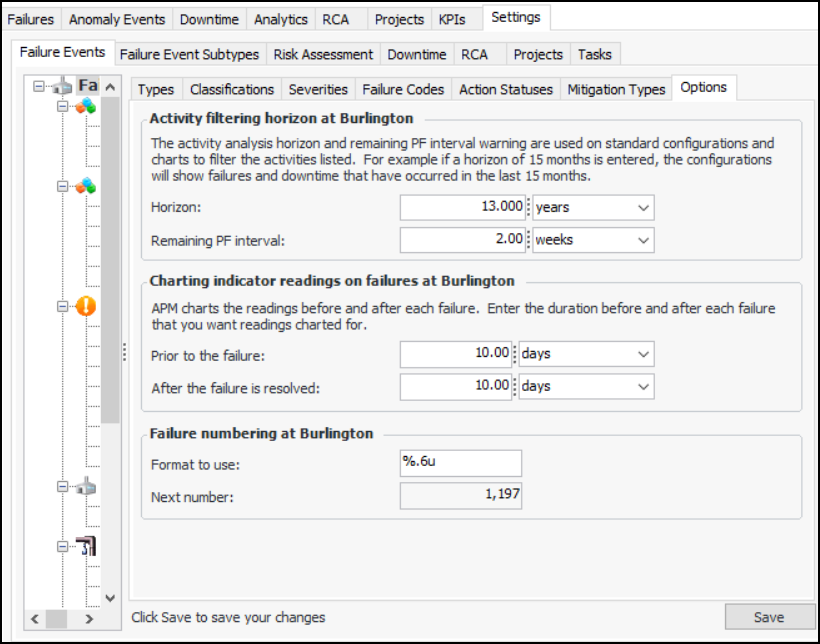
APM charts the indicator readings taken prior to and after the resolution of each failure. You can define the periods before and after each failure for which readings are charted. The default values are seven days before and after the failure. With these settings, APM charts the readings from seven days prior to the date on which the failure occurred and for seven days after its resolution.
Note: APM uses the options in effect at the time the failure is created or resolved.

To Set Options For Charting Indicator Readings for Failures

1.
From the Site window, select the Performance Management view, Settings tab. Select the Failures Events tab and the Failure event management settings node in the tree.
Tip: You can also click the Administration menu, Performance Management Settings, and then Failure Event Management. The Failure Event Management Settings dialog appears.
2.
Select the Options tab.
3.
Click Edit to modify the site settings. The Edit button is replaced by the Save button.
4.
In the Charting indicator readings on failures area, enter the amount of time and the unit of measurement that indicator readings are charted prior to the failure’s occurrence.
5.
6.
Click Save.