
|
Setting the Failure and Downtime Filtering Horizons
To Set the Filtering Horizon
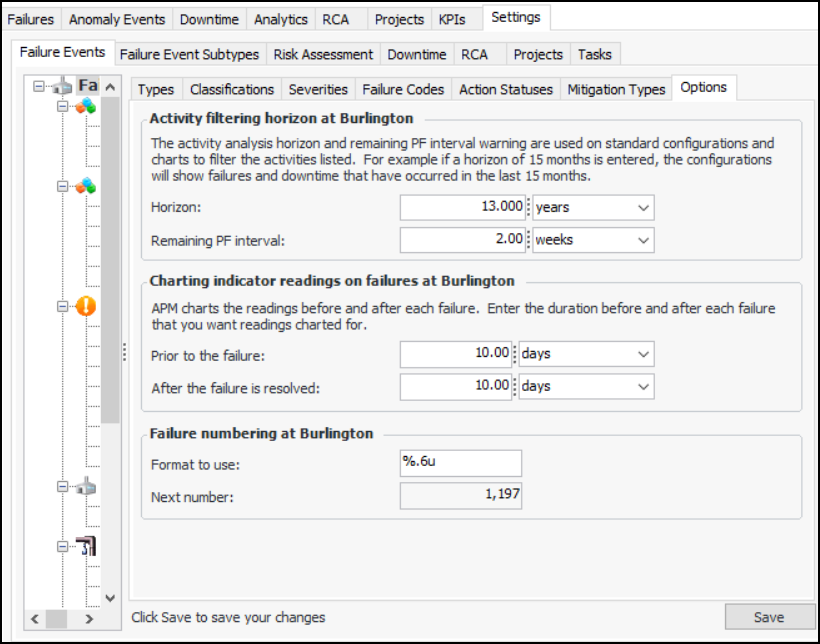
1. From the Site window, select the Performance Management view, Settings tab. Select the Failures Events tab and the Failure event management settings node in the tree.Tip: You can also click the Administration menu, Performance Management Settings, and then Failure Event Management. The Failure Event Management Settings dialog appears.
2.
3. Select the Options tab.
4. In the Failure and downtime filtering horizon area, enter the following values:
5. Click Save.