Defining Mitigation Types

The objective of a mitigation action for a failure or anomaly is to provide a temporary fix while analysis is completed and a solution implemented. The mitigation type is a category used to describe and track these temporary containment measures.
This topic explains how to add mitigation types.

To Define a Mitigation Type

1.
From the Site window, select the Performance Management view, Settings tab. Select the Failures Events tab and the Failure event management settings node in the tree.
Tip: You can also click the Administration menu, Performance Management Settings, and then Failure Event Management. The Failure Event Management Settings dialog appears.
2.
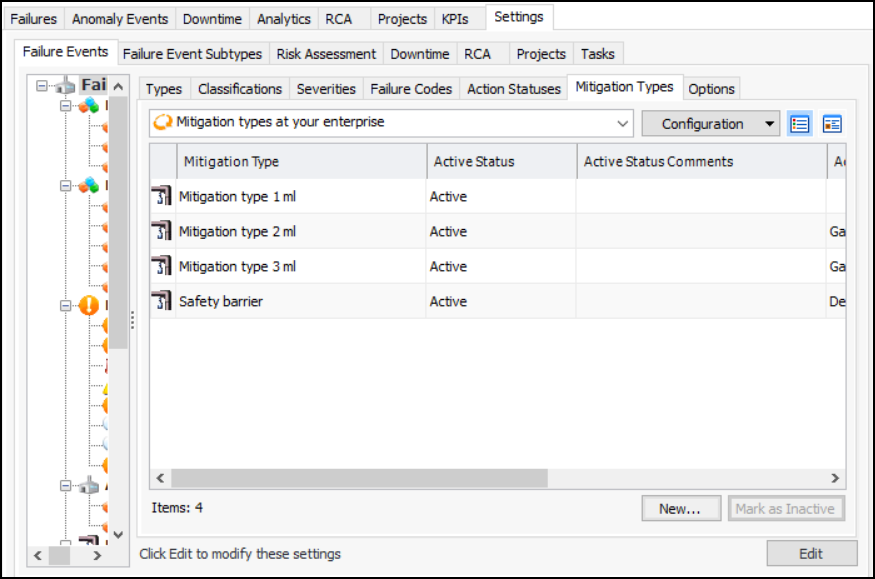
Select the Mitigation Types tab. This tab lists the types available.
Tip: You can select a mitigation type and click Mark as Inactive to remove it from circulation. Provide a reason and click OK. Click Mark as Active to make it available again.
3.
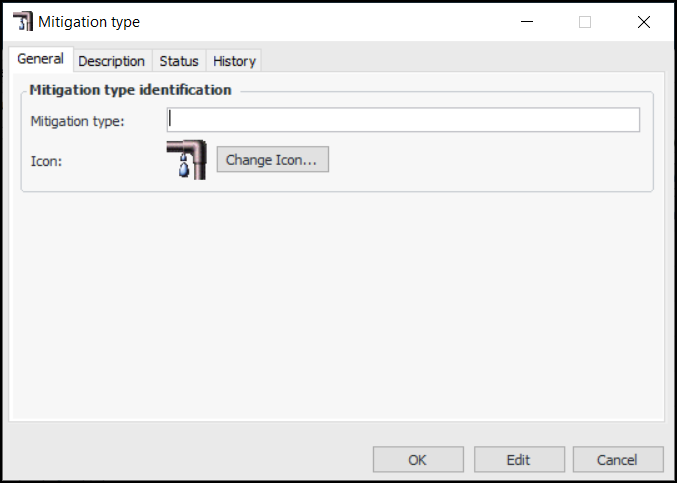
Click New. The Mitigation type dialog appears:
4.
5.
To change the graphic that represents the type, click Change Icon, select a graphic, and click OK.
6.
7.
Click OK. The mitigation type is added to the tab. By default, it is active and available for use.