Setting up Technologies

A technology is a method or tool, such as ultrasonic testing or infrared inspection, used to determine the condition of in-service equipment to measure degradation.
APM also supports predictive maintenance (PdM) technologies, such as vibration analysis or oil analysis, which are used to determine the condition of in-service equipment to predict when maintenance should be performed.
APM comes with several technology types. Examples of technologies include:
Technology definitions can identify asset types for measurement devices. A measurement device is an instrument used to take indicator readings, for example, an ultrasonic probe or vibration analyzer. Measurement devices are defined as maintainable assets in APM so that testing, calibration, and repair activities can be tracked, as well as the indicator readings that use the devices.
 
When the technology is assigned to an indicator or standard task, you can select the appropriate measurement device used to take readings for indicators and checksheets.
You can edit the existing technologies or create new ones, as needed. This topic explains how to add a new technology.
Tip: You can also view, edit, and create technologies in reliability program, indicator data collection, and work management settings.

To Create a Technology

1.
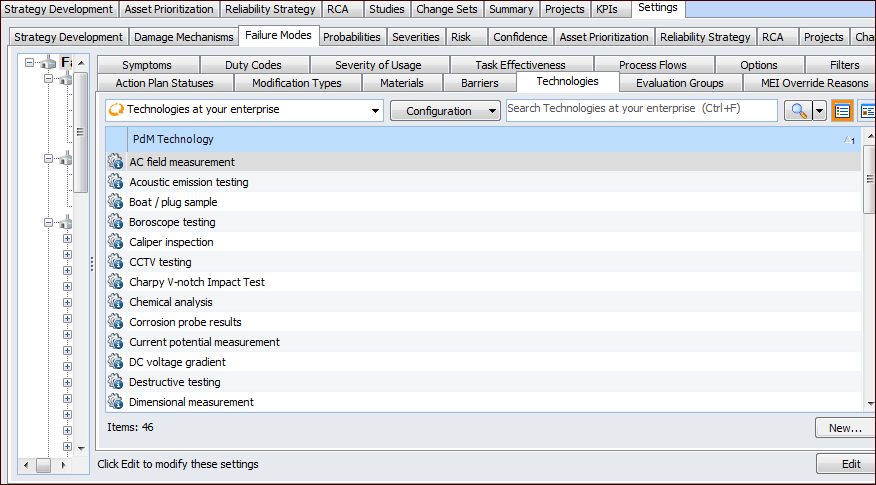
On the site’s Strategy Development view, select the Settings tab. Select the Failure Modes tab and the Failure mode settings node in the tree.
Tip: You can also select the site’s Administration menu, Strategy Development Settings, and then Failure Modes. The Failure Mode Management Settings dialog appears.
2.
Select the Technologies tab.
3.
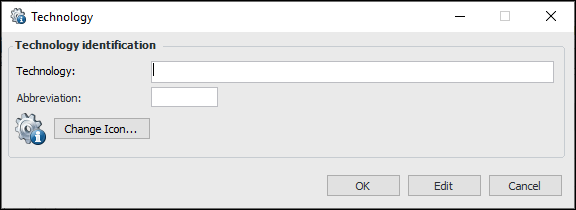
Click New. The Technology dialog appears.
4.
5.
To change the icon that appears for this technology, click Change Icon, select a graphic, and click OK.
6.
Click OK to close the dialog. The technology appears in the tab.