Setting up Severity of Usage Values

“Severity of usage” describes the environment in which an asset is operating. This could mean an environment that is cold, hot, dirty, damp, and so on. In strategy development analyses, severity of usage values are recorded on failure modes.
In APM you can define severity of usage values for selection on failure modes.
Note: If you download failure modes from the APM Online Content Library to your maintenance task analyses (MTA2), any severity of usage values that do not already exist in APM are automatically added.

To Create a Severity of Usage Value

1.
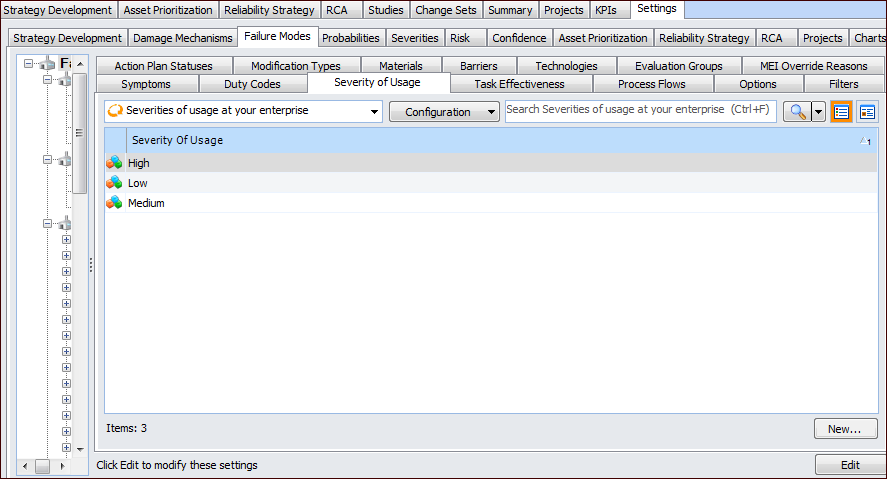
On the site’s Strategy Development view, select the Settings tab. Select the Failure Modes tab and the Failure mode settings node in the tree.
Tip: You can also select the site’s Administration menu, Strategy Development Settings, and then Failure Modes. The Failure Mode Management Settings dialog appears.
2.
Select the Severity of Usage tab.
3.
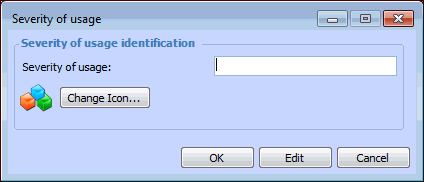
Click New. The Severity of Usage dialog appears.
4.
5.
To change the icon that appears for this severity, click Change Icon, select a graphic, and click OK.
6.
Click OK to close the dialog. The severity appears in the tab.