Setting up Failure Mode Hole Sizes

Hole size values include a descriptor and a range of measurements. For example, The large hole size value could specify start and end values of 5 and 25 millimeters, respectively.

To Set up Hole Size Values

1.
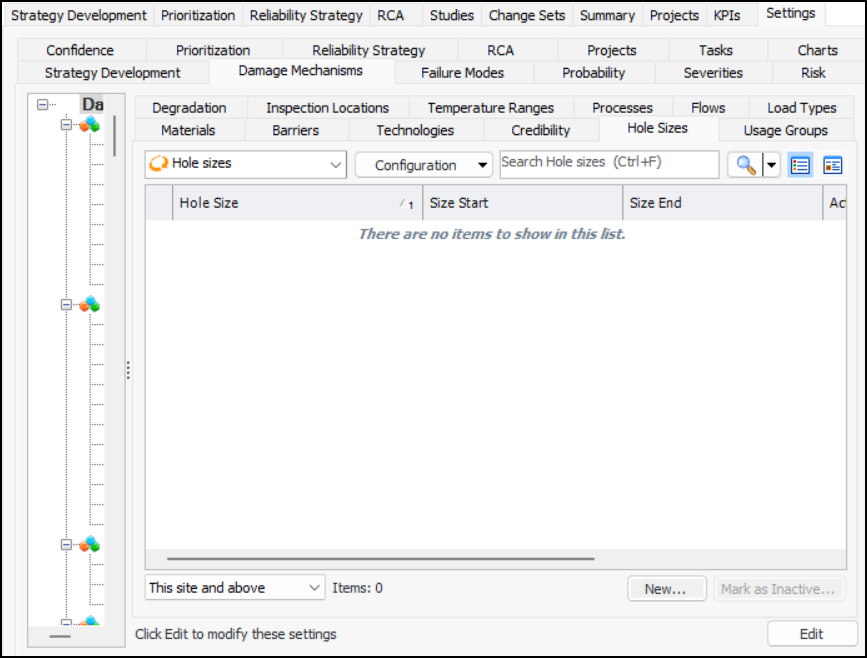
On the site’s Strategy Development view, select the Settings tab. Select the Damage Mechanisms tab and the Damage mechanisms settings node in the tree.
Tip: You can also select the site’s Administration menu, Strategy Development Settings, and then Damage Mechanism Library. The Damage Mechanisms Management Settings dialog appears.
2.
Select the Hole Sizes tab.
3.
4.
5.
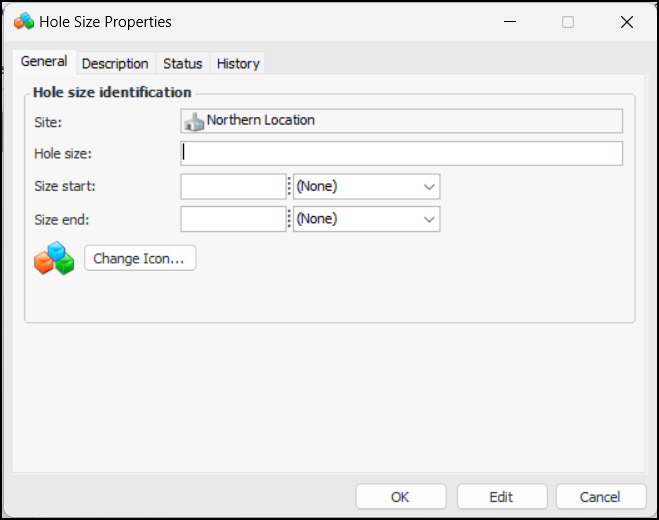
Enter values in the Size start and Size end boxes. Specify the unit of measure (inches or millimeters).
6.
7.
Click OK. The dialog closes and the value is added to the table.