Setting up Degradation Types

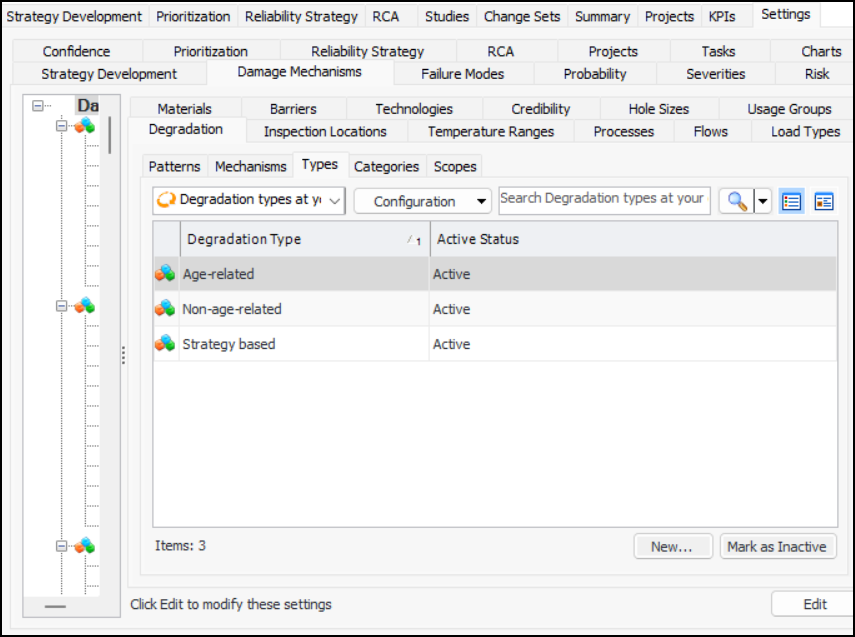
A degradation type describes the kind of degradation, for example, age-related, non-age-related, and strategy-based. You can select one of the following methods for determining the confidence factor associated with the type:
Confidence questions – The Confidence tab displays up to four questions. The user selects responses and APM provides the appropriate confidence factor. To set up this option, select the questionnaire to display.
To create a questionnaire, see Setting up Confidence Questionnaires.

To Set up Degradation Types

1.
On the site’s Strategy Development view, select the Settings tab. Select the Damage Mechanisms tab and the Damage mechanisms settings node in the tree.
Tip: You can also select the site’s Administration menu, Strategy Development Settings, and then Damage Mechanism Library. The Damage Mechanisms Management Settings dialog appears.
2.
Select the Degradation and the Types tabs.
3.
4.
5.
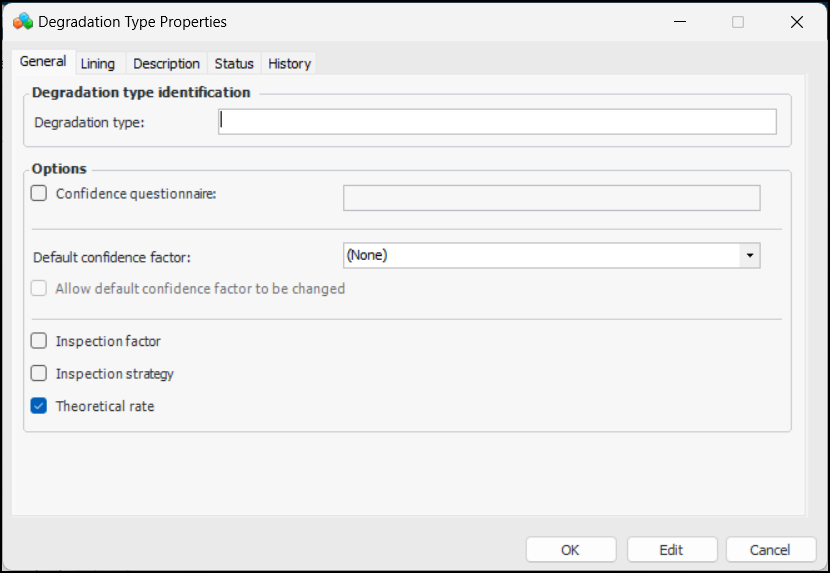
Confidence questionnaire – Select this option to present up to four questions on the Confidence tab. The user selects responses to the questions and APM supplies the appropriate confidence factor. Select the confidence evaluation questionnaire that will provide the confidence statements to choose from on the Confidence tab.
Default confidence factor – If confidence questions are not supported, select the confidence factor to be shown when this degradation type is selected in a failure mode risk analysis.
Allow default confidence factor to be changed – When this option is enabled, the user can change the default confidence factor.
Inspection factor – Select this option to have the inspection factor calculated when the degradation type is selected in the failure mode. An inspection factor is the portion of the normal frequency to be used when calculating indicator collection dates. For example, an inspection factor of “0.5” means that the indicator reading should be collected at half its normal frequency (1 year instead of 2 years).
Inspection strategy – Select this option to have inspection strategies available when this type is selected in the failure mode. The Inspection strategy box on the failure mode displays the strategy assigned to the combination of degradation type, criticality, and confidence factor.
Theoretical rate – When this option is selected, the Theoretical rate box is available in the Failure Mode window, Degradation Rates tab. The analyst can add a rate for informational purposes.
6.
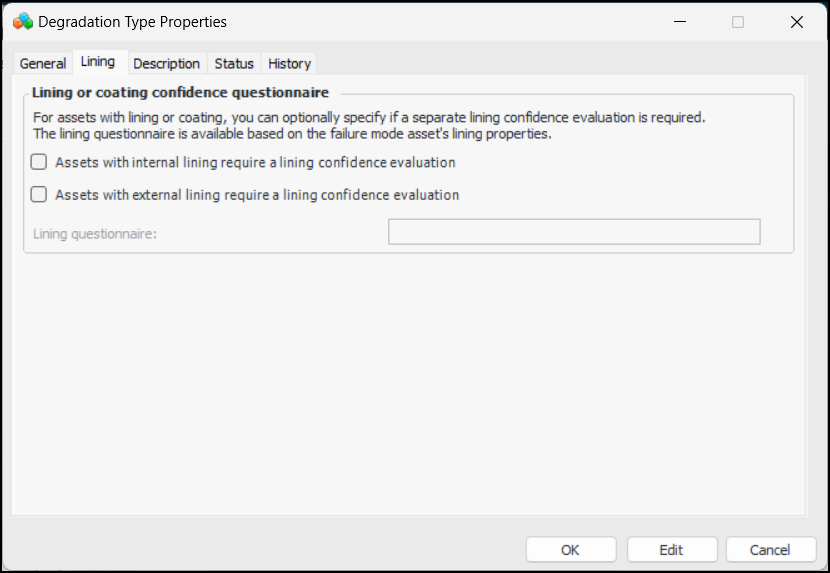
Select the Lining tab.
7.
If the asset has lining, coating, or both, you can specify that it requires confidence evaluation. Select the appropriate option and select the questionnaire. The Lining tab will be available on the failure mode’s Confidence tab if the analysis asset has lining properties.
8.
Select the Description tab to enter more information about the degradation type.
9.
Click OK. The dialog closes and the degradation type is added to the table.