|
Setting up Confidence Questionnaires
When a questionnaire is in use, the failure mode’s Confidence tab displays up to four questions. The analyst selects responses and APM provides the appropriate confidence or inspection factor.To Create a Confidence Questionnaire
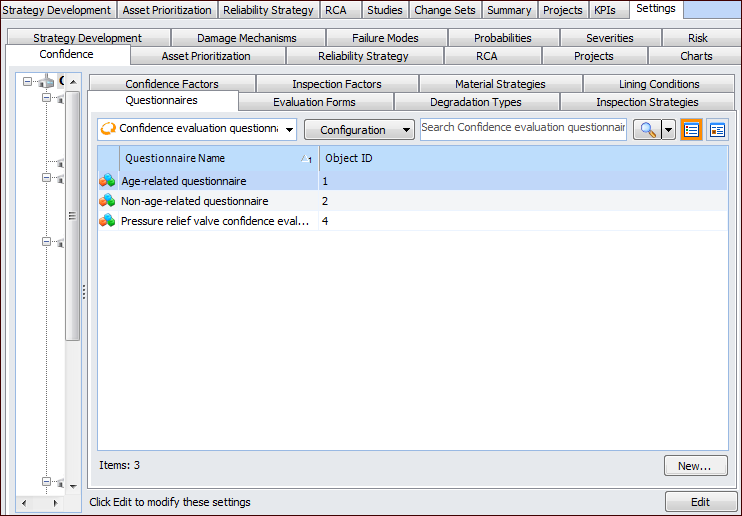
1. On the site’s Strategy Development view, select the Settings tab. Select the Confidence tab and the Confidence Analysis Settings node in the tree.Tip: You can also select the site’s Administration menu, Strategy Development Settings, Risk Analysis, and then Confidence. The Strategy Development – Confidence Analysis Settings dialog appears.
2.
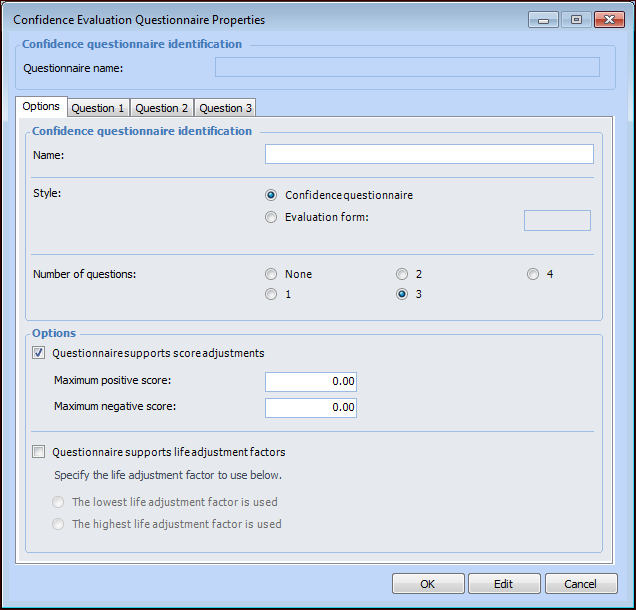
3. Click New. The Confidence Evaluation Questionnaire Properties dialog appears, for example:
• Confidence questionnaire – Up to four questions are displayed in the failure mode’s Confidence tab. For each question, the analyst selects one of three answers.
• Evaluation form – The Evaluation button is displayed in the failure mode’s Confidence tab. The analyst clicks the button to open the online wizard and then selects answers for a series of questions that result in a confidence factor.
The evaluation form used for the confidence evaluation. The Evaluation button is displayed in the failure mode’s Confidence tab. The analyst clicks the button to open the online wizard and then selects answers for a series of questions that result in a confidence factor.Note: When you select Evaluation form, the other options are disabled except for the list of forms. See Setting up Confidence Evaluation Forms. The rest of this topic explains the options for confidence questionnaires.
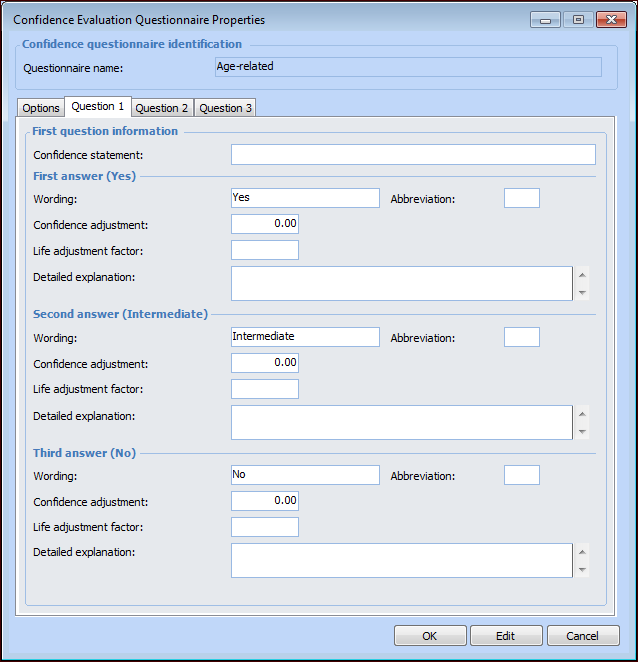
The number of questions or statements in the confidence questionnaire. The maximum number is 4. A Question tab is added to the dialog for each question.
• The lowest life adjustment factor is used – When the analyst completes the questionnaire, APM takes the lowest life adjustment factor from the answers.
• The highest life adjustment factor is used – When the analyst completes the questionnaire, APM takes the highest life adjustment factor from the answers.
6.
10. Click OK. The dialog closes and the questionnaire is added to the table.