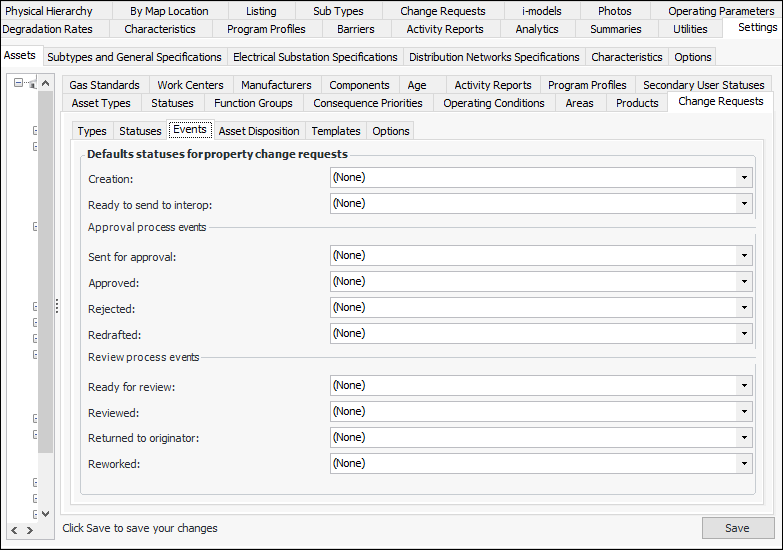
Setting up Change Request Events: Rules for Assigning Statuses

The asset change request’s status indicates its progress in the workflow, for example, “New request”, “Sent for approval”, or “Ready to send to interop”.
The status can be updated manually, by events in APM, or by AWEIS events. To ensure that the status changes appropriately in response to an AWEIS event, review the site interoperability profile. On the Change Requests tab, assign a status to each of the events. For more information, see Setting up Site Interoperability Profiles for AWEIS.
This topic explains how to specify the statuses applied to requests in response to APM events such as creation and sent for approval.

To Set up Change Request Events

1.
From the Site window, select the Assets view, Settings tab. Select the Assets tab and the Asset management settings node in the tree.
Tip: You can also select the Administration menu, Asset Management Settings, and then Asset Management. The Asset Management Settings dialog appears.
2.
Select the Change Requests tab and then the Events tab.
3.
Click Edit to modify the site settings. The Edit button is replaced by the Save button.
4.
5.
Click Save.