Editing an Asset’s MTA2 Failure Modes 

A failure mode is an event that causes an asset to fail to perform its function. For example, if a pump’s impeller becomes sufficiently worn, the pump cannot convey liquid at the required rate. Failure modes are described during strategy development analysis, along with the action plans that prevent or mitigate failures.
After failure modes have been created, you can view and modify them from the site’s and the asset’s Strategy Development views. You can change the failure mode definition, failure effect, failure type, failure classification, and description.

To Edit a Failure Mode

1.
Select the site’s Strategy Development view. Select the Strategy Development tab and the Failure Modes tab. Select the asset in the tree and then double-click the failure mode that you wish to edit.
Select the site’s Assets view. Open the asset and select the Strategy Development view and tab. On the Failure Modes tab, double-click the failure mode that you wish to edit.
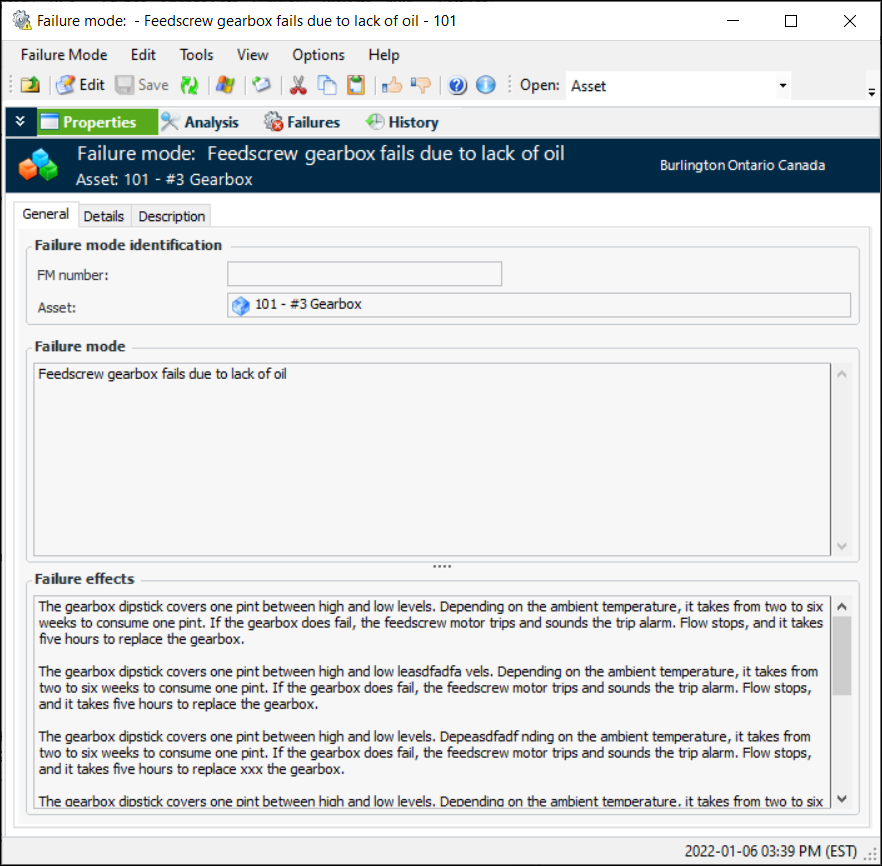
The Failure Mode window appears. For example:
The Analysis view lists the analyses that include the failure mode. The Failures view displays information about any failures tracked against the failure mode.
2.
3.
4.
On the Details tab, you can select the failure type and classification that allow failures to be grouped and categorized for reporting purposes.
5.
Select the Description tab to change the long description for the failure mode.