Overview of Maintenance Task Analysis

Maintenance task analysis (MTA2) is APM’s unique strategy development methodology that enables the analysis team to quickly create and implement basic, technically-sound reliability programs. MTA2 is most effective when operational and maintenance knowledge about assets is well-documented and consistently used by employees. MTA2 provides an alternative to the resource-intensive RCM2 analysis, while still allowing you to identify the right work to improve performance across the plant.
MTA2 methodology and tools allow the analysis team to:

Creating the Components of the Analysis

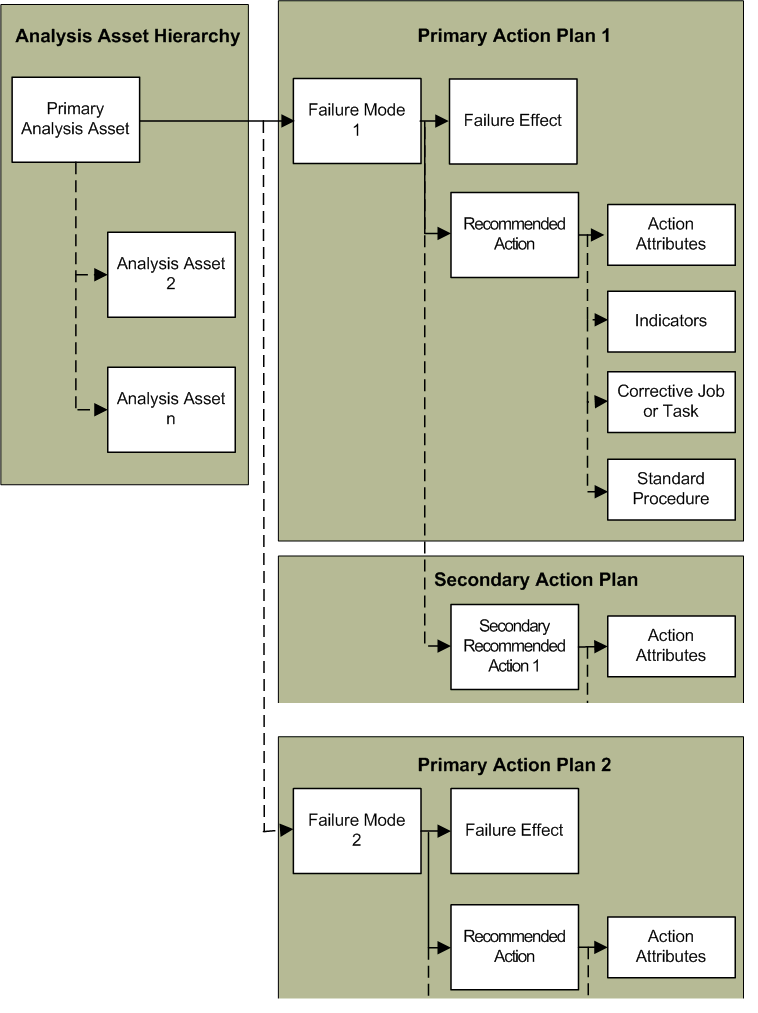
The following diagram illustrates the components of an MTA2.
To perform maintenance task analysis, the analysis team:

Using Isograph Availability Workbench

Using the integration functionality in APM, you can export failure modes from analyses in APM to the Isograph Availability Workbench (AWB), where you can analyze and optimize the data. You can then import optimization results into the APM analysis, review the recommendations in the Optimization view, and make appropriate changes to the action plans.
Before you can export failure modes, you must have installed the Availability Workbench with a valid license. Your APM license must include the Reliability Strategy Development and Implementation and Performance Management modules, and the modules must be active on the sites where you want to use the functionality.
For information about using this functionality, see APM Integration Guide for Isograph Availability Workbench.

MTA2 and Failure Tracking

If your organization tracks asset failures using APM, you can link each failure record that references a failure mode to an existing MTA2. You can also use a failure record as the starting point for a new MTA2. For more information, see Failure Tracking.

Referencing SAP Plant Maintenance Objects in Maintenance Task Analyses

When APM has been configured to interact with an SAP Plant Maintenance system, the SAP Portal view is added to sites. Additional or replacements tabs are available on the Assets, Reliability Program, and Work Management views.
The SAP Portal view provides the following tabs and sub-tabs:
Task ListsGeneral, Functional Locations, Equipment, and Operations
Maintenance ItemsMaintenance Items, Functional Location Object Lists, and Equipment Object Lists,
NotificationsNotifications, Items, Causes, Tasks, and Activities
Maintenance OrdersOrders, Operations, Object Lists - Functional Locations, Object Lists - Equipment, and Costs
Planning SummariesFunctional Locations and Equipment
Monthly planning summaries list functional locations and equipment and provide counts of their downtime, recorded and completed notifications, planned and unplanned maintenance orders, and more. Summaries tabs are available in the Assets, Work Management, and SAP Portal views.
When an APM asset references either an SAP equipment or functional location, information about the SAP object is available in the Asset window. Select the Properties view and SAP tab to view the reference. Select the SAP Properties view to see detailed information about the SAP object. Similarly, in the SAP object’s window, the Asset Properties view displays information about the asset that references it.
Similar information is available in Standard Task and Maintenance Item windows. And when a checksheet is created from a standard task linked to an SAP maintenance item or task list, the standard task’s SAP information is copied to the checksheet. You can view it in the Properties view, Source tab.
For several SAP objects, the property window’s Usage view contains tabs that list associated APM objects: checksheets, standard tasks, action plans, and proposed tasks. These tabs are available for maintenance items, maintenance plans, general task lists, equipment task lists, and functional location task lists.
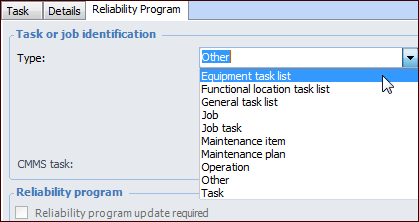
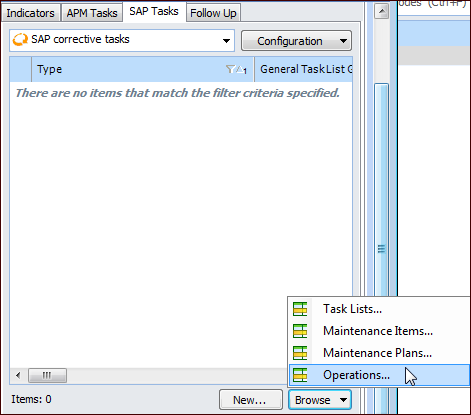
For example, a reliability engineer can reconcile the action plans developed in a strategy development analysis with actual maintenance items in SAP. When creating action plans, the engineer browses the SAP data, using filters to narrow the search for a maintenance item that matches the action plan. When the item is selected, its number is recorded in the action plan for later reference, and the engineer can then mark the action plan as “Implementation completed”. At any time, APM users can view details about the referenced maintenance item by double-clicking its icon to open a properties window. These interoperability features help users to quickly and accurately ensure that their action plans are properly implemented in SAP, without having to flip back and forth between systems.
Tip: Interoperability settings at the enterprise and site levels determine the SAP information available on sites. In the Enterprise window, Integrations view, you can create interoperability profiles to be assigned to individual sites. Profile settings determine if SAP objects, APM objects, or both are available in the site’s Reliability Program and Work Management views. In the site’s interoperability settings, you can select the plants used to filter lists of SAP objects.

Referencing SAP Objects in Analyses

In a strategy development analysis, SAP Plant Maintenance objects are available in three locations:
When action plans are updated from the Feasibility evaluation, the proposed task is referenced in the SAP Tasks tab.
In the action plan’s Details area, SAP information (System condition and Work center) can replace APM information (Operating condition and Maintenance group).
For information about viewing, filtering, and browsing SAP objects, see Viewing SAP Plant Maintenance Data in APM.
For information about setting up interoperability, see APM Interoperability Guide for SAP Plant Maintenance.