|
Setting Risk Analysis Options for an MTA2
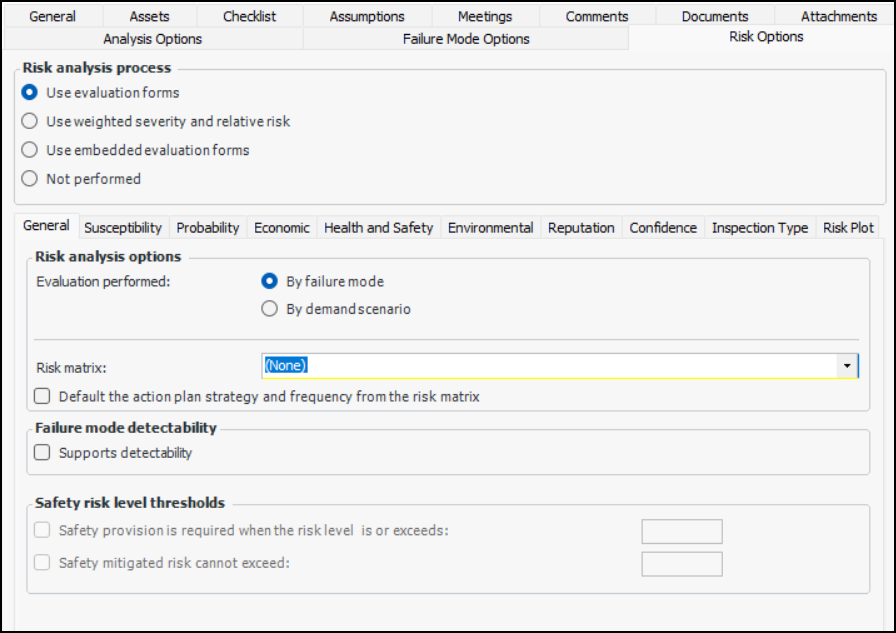
• Use evaluation forms – The analysis team uses pop-up questionnaires to evaluate the probability of failure, consequences (economic, health and safety, environmental, and reputation), and confidence factors. APM then calculates the risk and shows it in the risk matrix. This process can be used with failure modes or demand scenarios.
• Use weighted severity and relative risk – The analyst assesses the severity of economic, health and safety, environmental, and reputation consequences, assigning a number (weighting) to each factor. The analyst also enters the probability of failure and the confidence factor. APM then calculates the relative risk and shows it in the risk matrix. This process can be used with failure mode risk analysis only; it cannot be used to evaluate demand scenarios.
• Use embedded evaluation forms – The analysis team selects options in the Risk tab of the Maintenance Action Plan window to evaluate probability and consequence factors. Safety analyses (SIF and HAZOP) use this type of form.
• Not performed – Risk analysis features are not shown in the analysis window.To Set Options for Using Pop-up Evaluation Forms
3.
4. On the General tab, select whether risk analysis is performed on failure modes or on demand scenarios. If you select By demand scenario, the Demand Scenarios tab is added and the Probability tab is removed.
6. If risk analysis is performed on demand scenarios, select the Demand Scenarios tab.
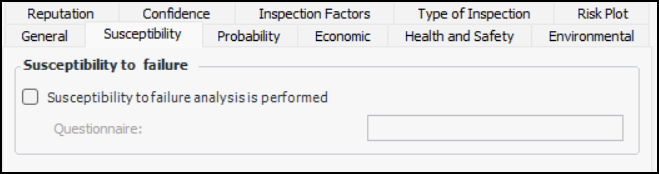
8. If risk analysis includes susceptibility to failure analysis, select the Susceptibility tab.
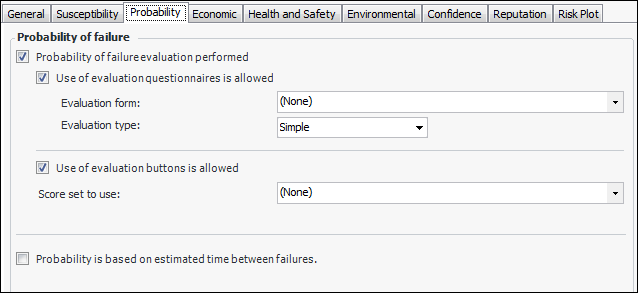
10. If risk analysis is performed on failure modes, select the Probability tab.
• Simple – The evaluator can select one statement for each category on the form.
• Detailed – The evaluator can select two statements for each category on the form.
The probability of failure is determined by the estimated time between failure (ETBF) without maintenance tasks. When this option is enabled, the Estimated time between failures without maintenance box appears in the Failure Mode window, Criticality tab.
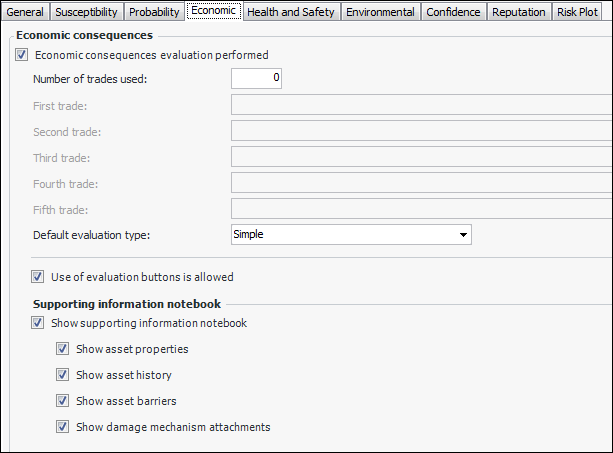
12. Select the Economic tab.
• Simple – The evaluator can select one statement for each category on the form.
• Detailed – The evaluator can select two statements for each category on the form.
16. When Use of evaluation buttons is allowed is selected, analysts can simply click the button that represents the result of their economic evaluation. If this option is not selected, the buttons are disabled.
• Show supporting information notebook – Displays a small panel in the online form containing tabs for the different types of reference information
• Show asset properties – Asset Properties tab displays the failure mode asset’s general information, documents, photographs, manufacturer, and so on
• Show asset history – History tab displays checksheets, failures, and more
• Show asset barriers – Barriers tab displays failure barriers
• Show damage mechanism attachments – On RBI analyses, the economic evaluation’s Attachments tab displays the documents attached to the damage mechanism on which the failure mode is based
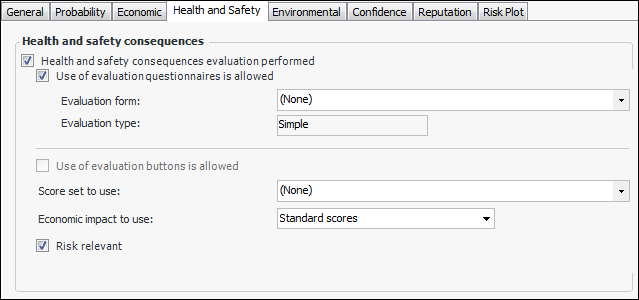
18. Select the Health and Safety tab.
• Simple – The evaluator can select one statement for each category on the form.
• Detailed – The evaluator can select two statements for each category on the form.
20. Select the Environmental and Reputation tabs in turn and set the options for using evaluation questionnaires and buttons.
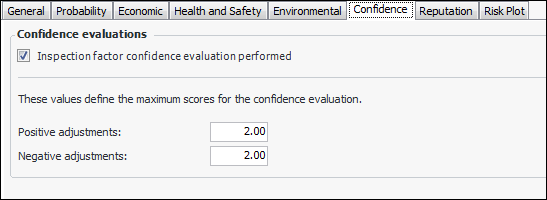
21. Select the Confidence tab.
A confidence evaluation is performed to determine the inspection factor. This option is only relevant when risk analysis is performed using pop-up evaluation forms. The Confidence tab appears in the Maintenance Action Plan window.
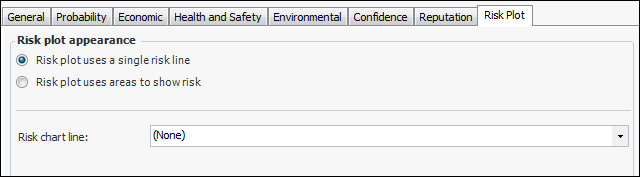
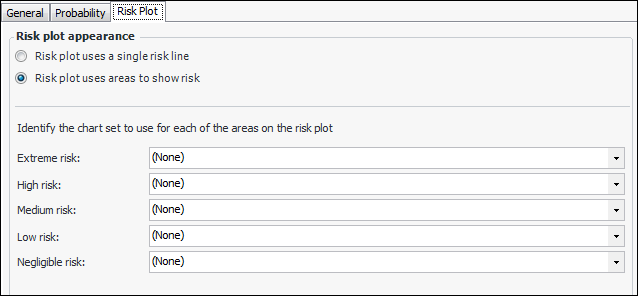
23. Select the Risk Plot tab. The risk plot chart can show either a single risk tolerance line or colored areas for one or more risk levels.
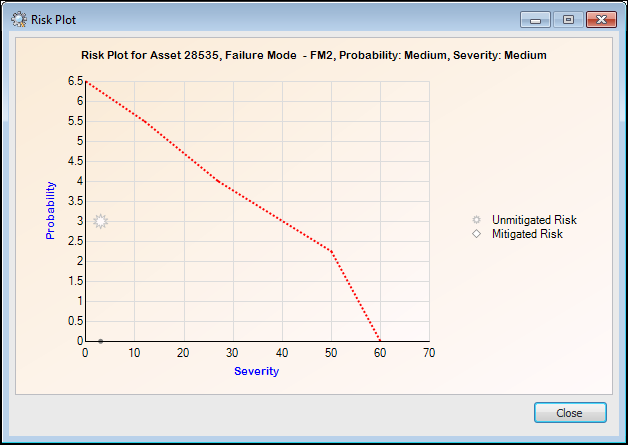
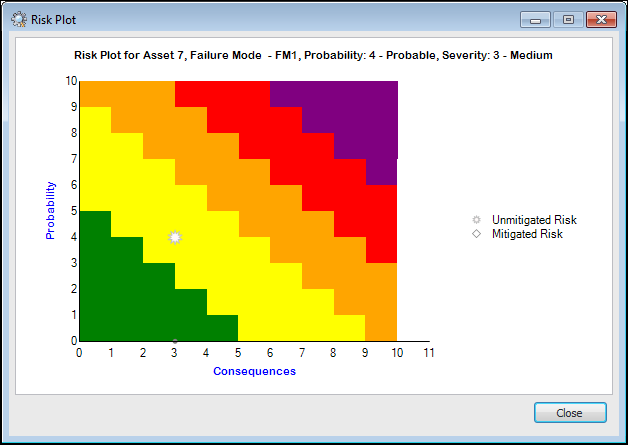
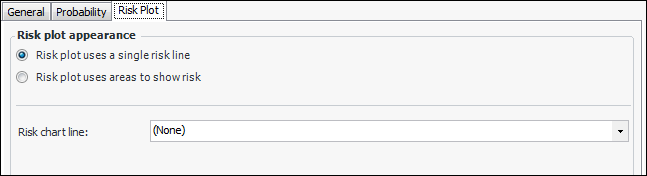
• Risk plot uses a single risk line – risk plot chart displays a line to indicate the failure mode’s initial risk. Select the chart line style from the list, for example, “FM risk tolerance line”. Here is an example of a risk chart with a single line:
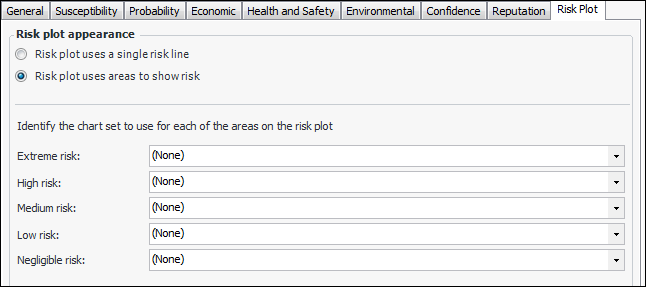
• Risk plot uses areas to show risk – Each severity level is represented by a colored area in the chart. The window changes as follows:To Set Options for Using Weighted Severity and Relative Risk
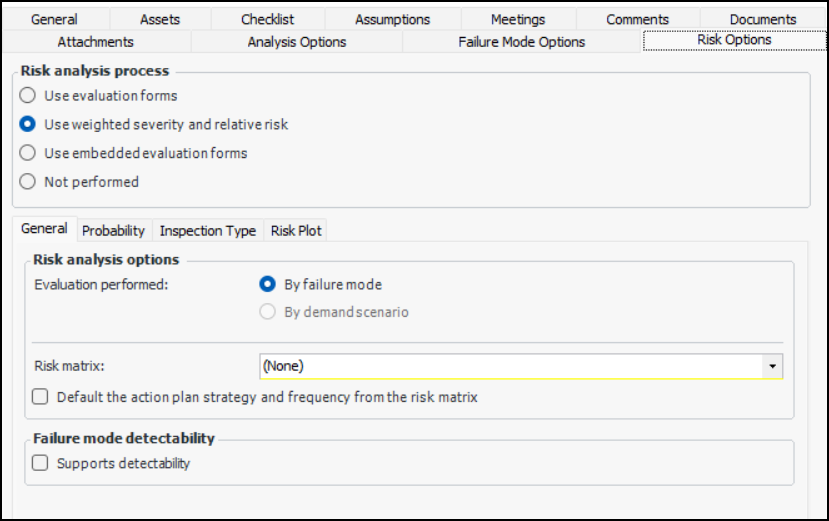
1. In the Strategy Development Analysis window, Properties view, select the Risk Options tab. Click Use weighted severity and relative risk.
2. On the General tab, set the following options:
3. Select the Probability tab. To determine the probability of failure based on ETBF, select Probability is based on estimated time between failures. When this option is enabled, the Estimated time between failures without maintenance box appears in the Maintenance Action Plan window, Criticality tab.
4. Select the Risk Plot tab. The risk plot chart can show either a single risk tolerance line or colored areas for one or more risk levels.
• Risk plot uses a single risk line – risk plot chart displays a line to indicate the failure mode’s initial risk. Select the chart line style from the list, for example, “FM risk tolerance line”. Here is an example of a risk chart with a single line:
• Risk plot uses areas to show risk – Each severity level is represented by a colored area in the chart. The window changes as follows: