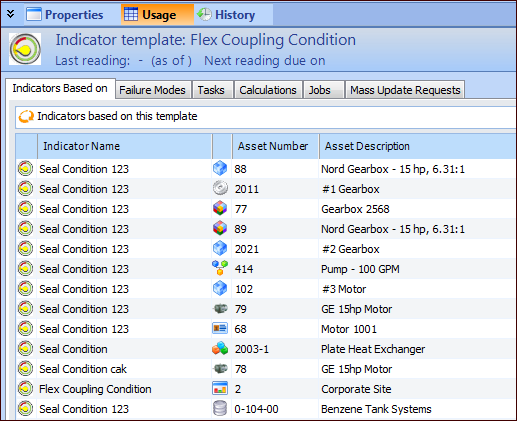
Concepts Tasks Settings Viewing Where Indicator Templates are Used There are several places where indicator templates can be used in APM. Indicator templates can be: • Used to create asset indicators • Included on task templates • Included in a calculation for another indicator template (numeric indicators only) • Included in a triggering rule for another indicator template • Included in failure modes on strategy development analysis templates • Included in asset operating parameters • Included in asset barriers To View Where an Indicator Template is Used 1. Select the site’s Inspection Management view, Indicators tab. 2. Select the Templates tab. By default, the table shows the indicator templates for the site and above. 3. Open the indicator template that you wish to view. 4. Select the Usage view. For example: 5. The places that the indicator template is used are listed on each of the tabs. 6. When you are finished, close the Indicator template window.