
|
Viewing Inventory Transactions
Tip: To view transactions for the site, select the Resource Transactions view and the Materials tab. You will find tabs listing issues, returns, receipts, adjustments, transfers, transfer receipts, and repairs. Select the All tab to view all material transactions. Select from configurations that order the list by date or resource, with and without details.To View Inventory Transactions for a Warehouse
1.
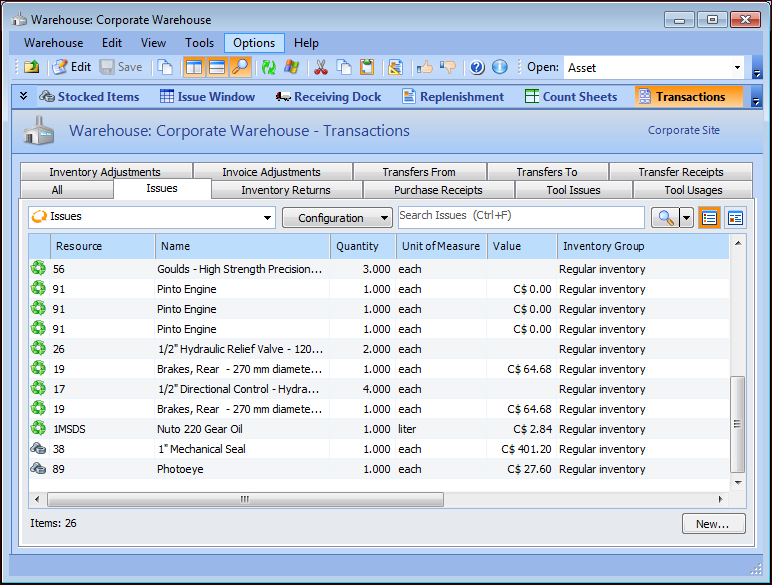
• Double-click a warehouse from the list to open the Warehouse window. Select the Transactions view, Issues tab. The list of transactions for this warehouse is displayed. For example:
2. Each type of transaction is listed on a different tab. Select the Issues, Inventory Returns, Transfers From, Transfers To, Transfer Receipts, Invoice Adjustments, or Purchase Receipts tabs to see the transactions you want. You can filter or sort the transactions on each tab using the information in any column.
3. To undo column sorting or filtering, right-click the label at the top of the column you used to sort or filter. Select either Clear Column Sorting or Clear Column Filtering.