
Removing a Resource From All Parts Lists

Resources can be included on parts lists for assets or for other resources. If necessary, you can remove a resource from all of the parts lists on which it is included.

To Remove a Resource From All Parts Lists
1.
Select the site’s Resource Management view.
2.
3.
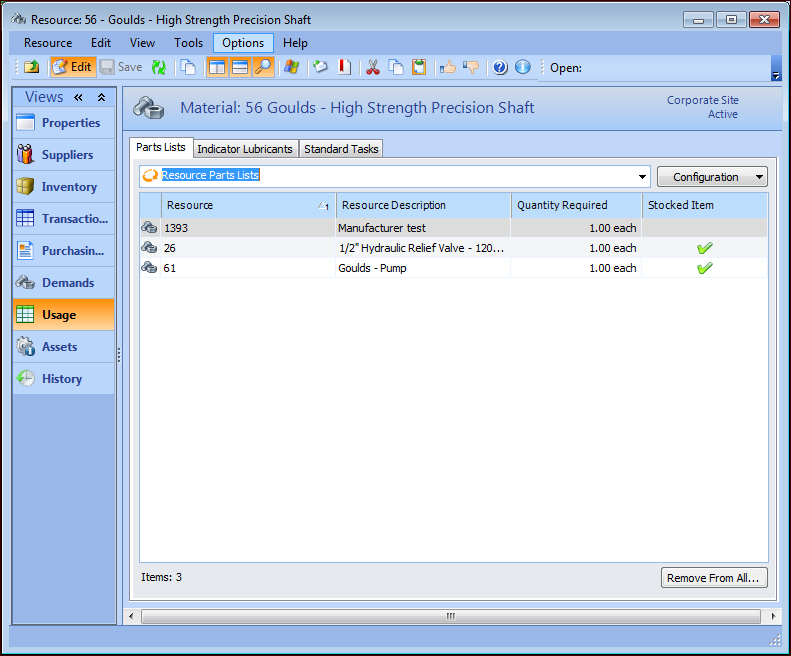
Select the Usage view. The Parts List tab lists all of the asset parts lists on which this resource is included. If you want to remove a resource from resource parts lists, select “Resource Parts Lists” from the list of table configurations. For example:
Tip: To remove the resource from a single parts list, open either the asset or the resource that references the part, select the Parts List tab, right-click on the resource and click Delete.
4.
To remove the resource from all parts lists, click Remove From All. The system displays a warning message. Click Yes to accept. The system removes the resource from all parts lists.