|
Receiving Materials Transferred from Another Warehouse
To Receive Transferred Materials Warehouses
1.
2. On the Warehouses tab, right-click the warehouse that is receiving the materials. The Warehouse window appears.
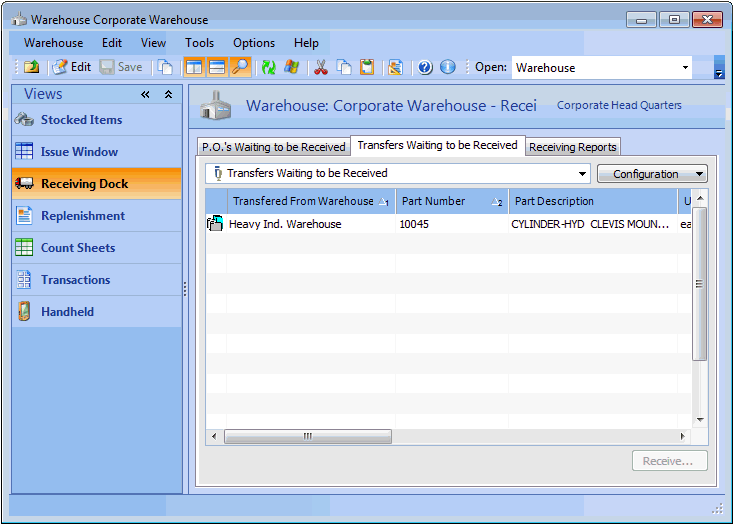
3. Select the Receiving Dock view, Transfers Waiting to be Received tab. This tab lists all pending warehouse transfers to this warehouse.
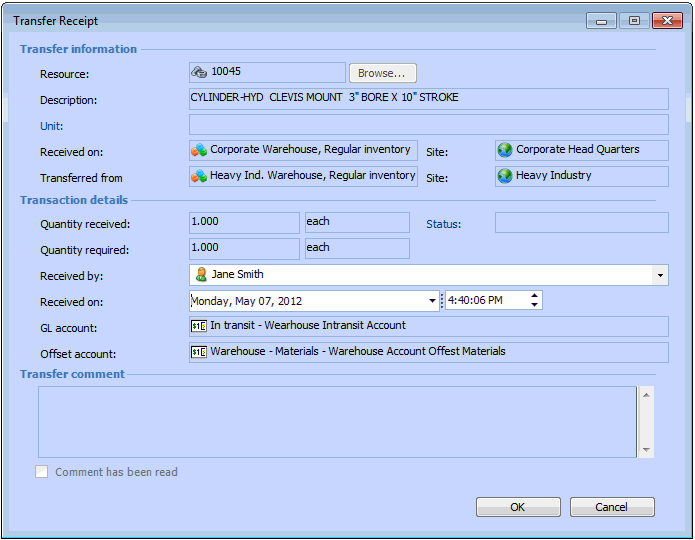
4. Right-click the item that you want to receive and select Receive Transfer. The Transfer Receipt dialog appears.
5.
6. When you are finished entering information, click OK. APM posts the receipt and makes the appropriate inventory adjustments in the receiving warehouse inventory group.