|
Printing Bin Labels for a Warehouse
Printer Requirements
This topic explains how to print bin labels for multiple warehouse items. To print bin, individual, or pack labels for a single item, see Printing Storage Labels for a Warehouse Item.To Print Bin Labels for Items in a Warehouse
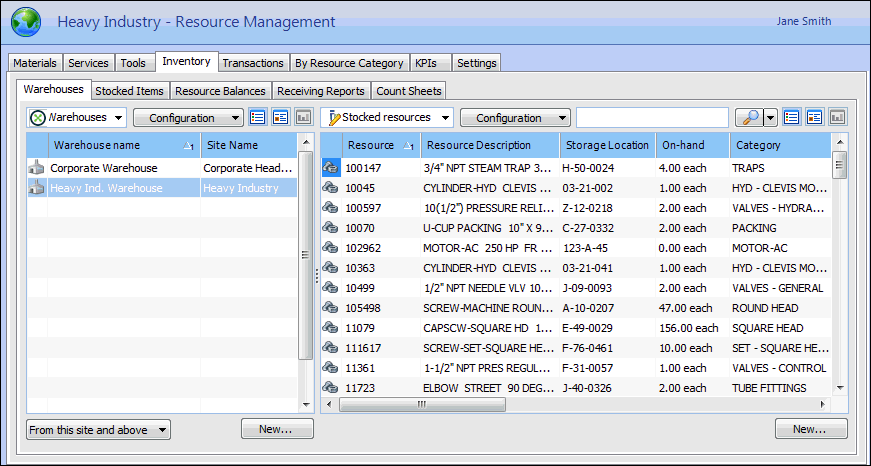
1.
2. Select the Warehouses tab. This tab shows a list of your site’s warehouses.
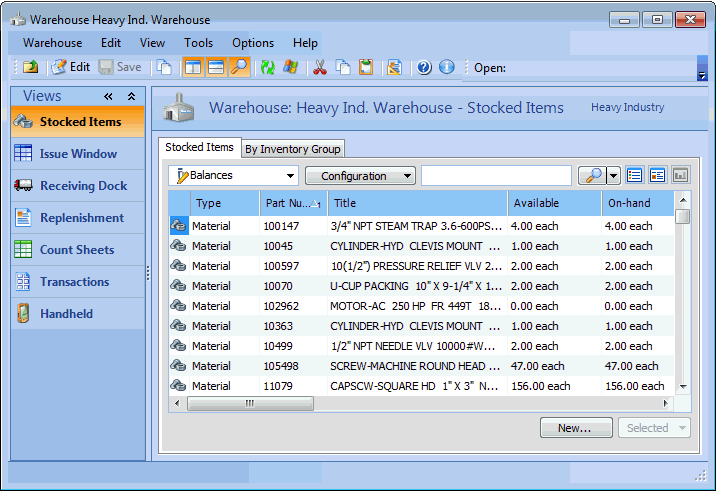
3. Double-click the warehouse that you want to open. APM opens the warehouse’s Stocked Items view.
4.
5. If you only want to print bin labels for some of the items in the warehouse, you can limit the items being printed by entering a range of storage locations. In the Storage box, enter the first storage location that you want to print a label for. In the To box, enter the last storage location that you want to print a label for.
6.
7.
8. Click the Print. The system prints the labels to the default printer.