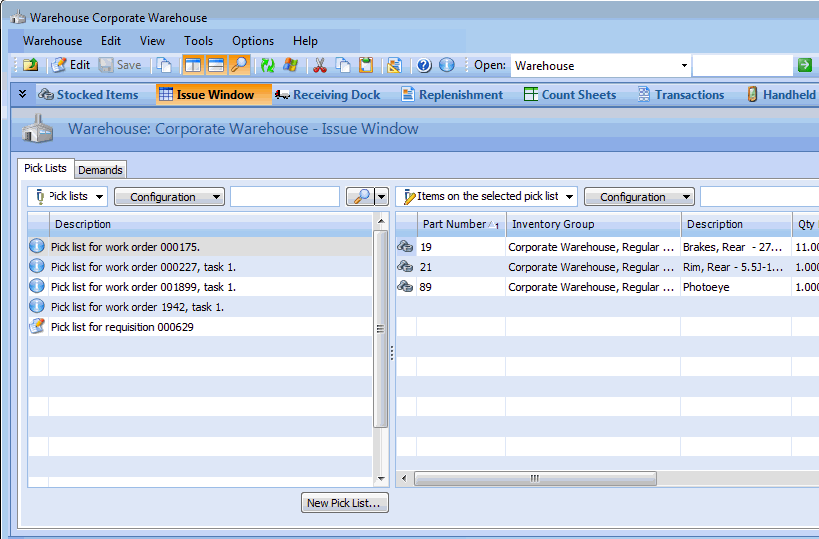
Concepts Tasks Settings Opening a Pick List You can open a pick list from the warehouse that it was created for. To Open a Pick List 1. In the Site window, select the Resource Management view and then the Inventory tab. 2. On the Warehouses tab, double-click the warehouse. The Warehouse window appears. 3. Select the Issue Window view, Pick Lists tab. APM lists the open pick lists for the warehouse. Tip: To see a list of all pick lists, select the All Pick Lists configuration. 4. Double-click the pick list. APM opens the pick list window.