|
Setting up APM Outbound Events
When setup tasks are completed, add target and connection components in AWEIS. In the AssetWise Interoperability Setup Guide, see “Setting up APM Outbound Events”.Introduction to Events
Producing Outbound Events – APM Interface Packages
If you need to create a custom interface class structure, start by copying the existing interface package and then add interface classes to it. See Creating a Custom Interface Package and Classes.Publishing Events
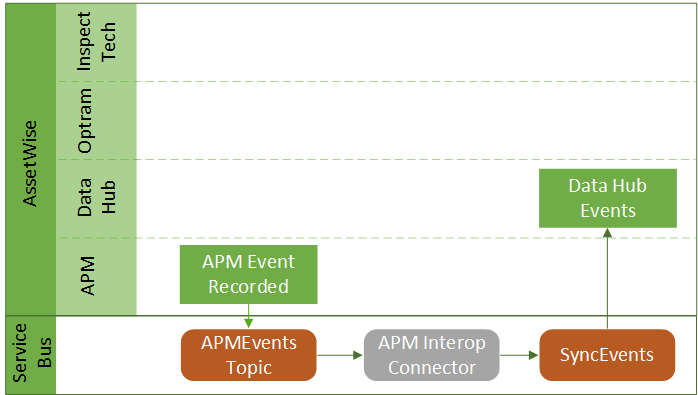
APM provides an event handler for publishing events to the interoperability service bus. You can also create a custom event handler and register it with the outbound event service provider. See Creating a Custom Event Handler.Types of SyncEvents for APM Events
Asset Installation
Indicator Alarms
Failures and Failure Modes
Work Document Change Requests
Setting up APM to Publish Events
To Enable Outbound Events in the Site Interoperability Profile
1.
2. Select the Interoperability Profiles tab and either open an existing profile or click New to create one.For more information about creating profiles, see Setting up Site Interoperability Profiles for AWEIS.
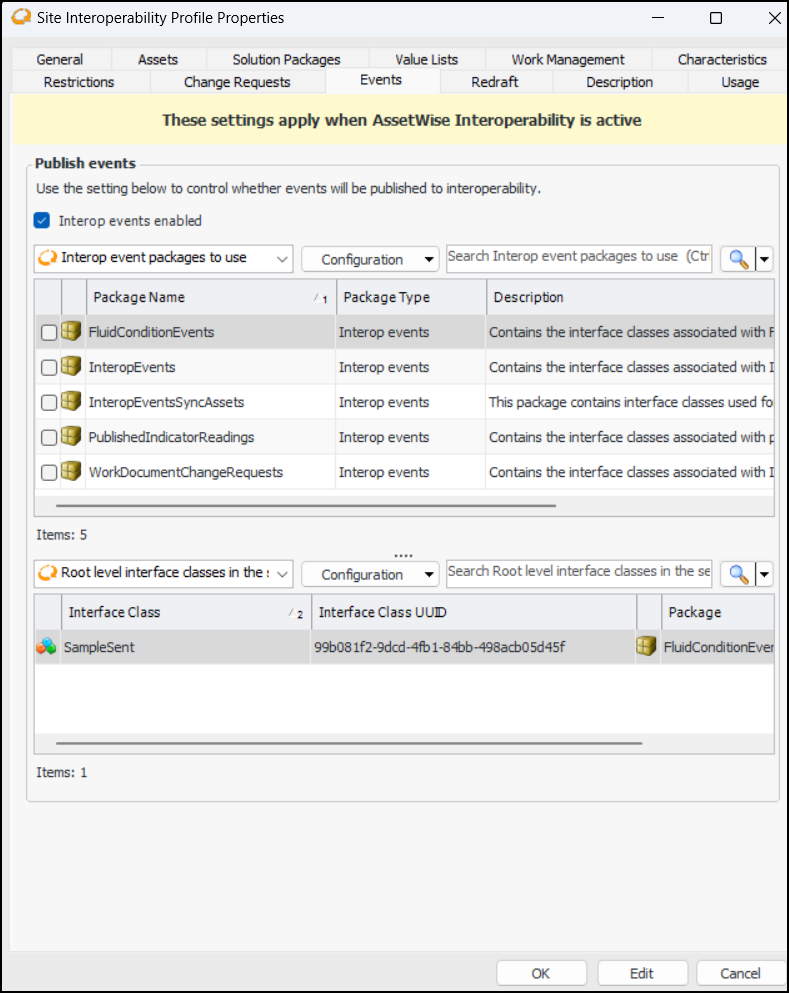
3. In the Site Interoperability Profile dialog, select the Events tab and select Interop events enabled. For example:
5. Click OK to save the profile and close the dialog.
6.To Configure the Server Instance
1. Launch APM Configuration. For example, on the Start menu, click Bentley, and then Configure APM. The APM Configuration window appears.
2. In the Type list, select Server/Service.
4.
5.
6.
7. In the Event Handler Assembly Name box, browse to the event handler provided by Bentley in the install directory, bin\Service Providers folder. For example:To Set up the Outbound Event Service Provider
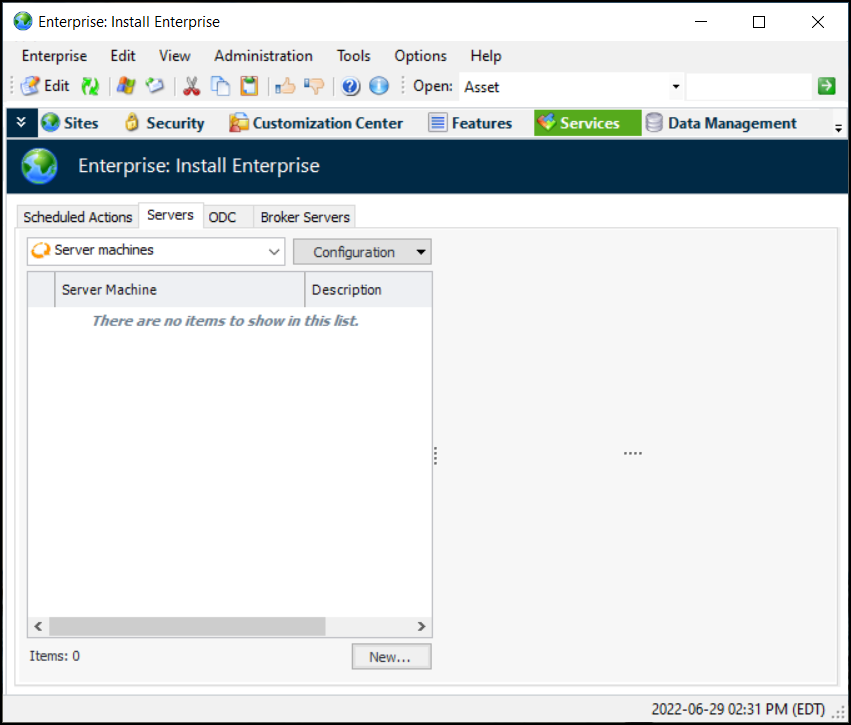
1. From the Enterprise window, select the Services view and the Servers tab. This example shows the tab before a server machine has been set up:
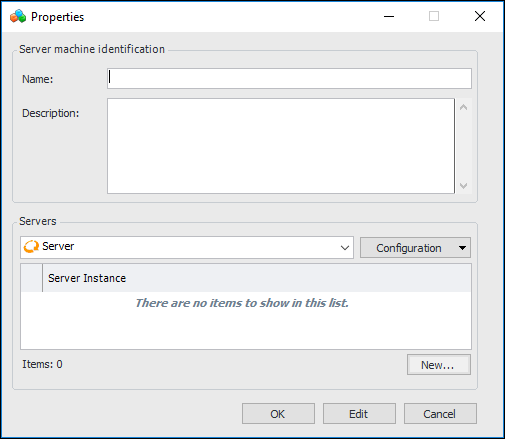
2. Click New to create a server machine. The Server Machine Properties dialog appears. For example:
4. Click New to add a server. The Server dialog appears.
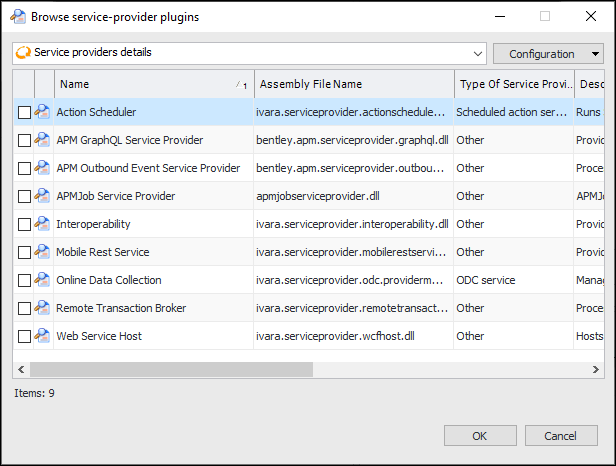
6. Click Browse to add a service provider. The Browse Service Provider Plugins dialog appears:
7. Select APM Outbound Event Service Provider and click OK. The service provider is added to the table.
8. Click OK in the server Properties dialog to close it.
9. Click OK in the server machine Properties dialog to close it.To Set Interop Event Handler Options
1. Launch APM Configuration. For example, on the Start menu, click Bentley, and then Configure APM. The APM Configuration window appears.
2. In the Type list, select Server/Service.
4.
5.
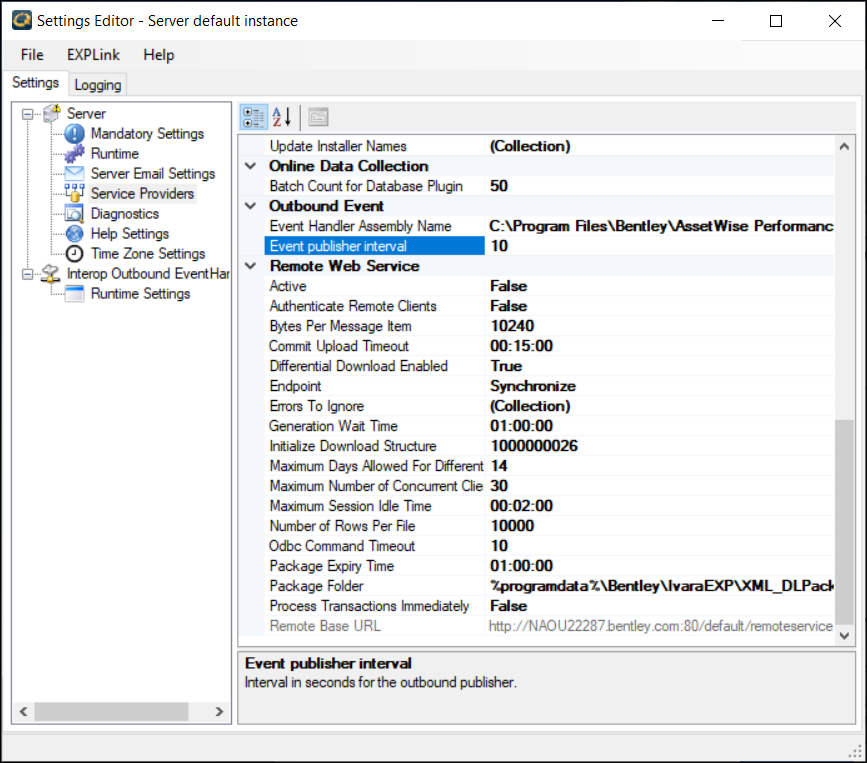
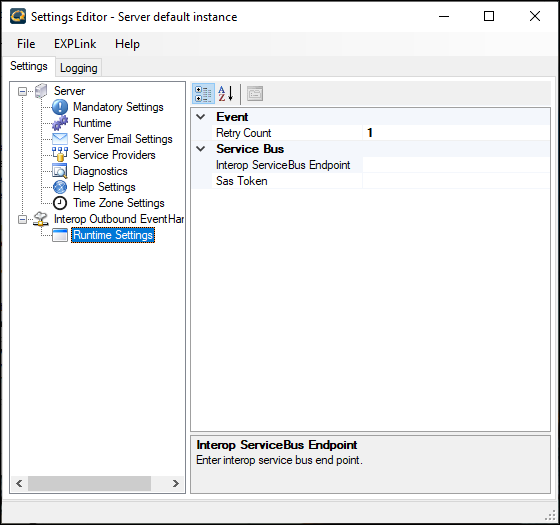
6. Under the Interop Outbound Event Handler node, click Runtime Settings. Scroll down to the Event section. For example:
• Retry count – The number of times that the Interop event handler will try to publish the event before giving up
• Interop ServiceBus Endpoint – The Rest endpoint of Bentley’s interoperability service bus api. For example:
• Sas Token – Shared Access Signature token required to authenticate the request sent to the Interoperability service bus. The Bentley Service Bus API Token is required for outbound events.
8.Creating a Custom Interface Package and Classes
To Create a Custom Interface Package and Classes
2. Select the Customization Center view.
3. Select the Interfaces tab and then the Packages tab. In the Configurations list, select “All Interface packages”.
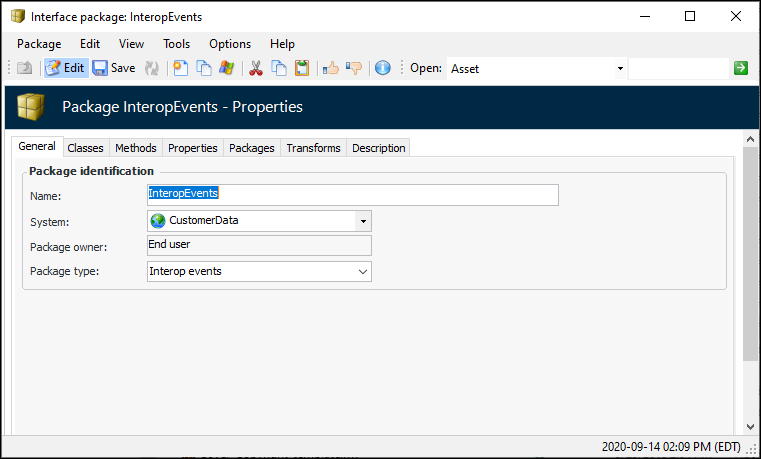
4. Right-click the InteropEvents or InteropEventsSyncAssets package and click Copy. The Interface Package window appears, for example:
6. Select the Classes tab to create the interface classes for this package.
7. For each class that you wish to add, click New. The Interface Class window appears.
9. In the Class list, select the class on which to base this one.
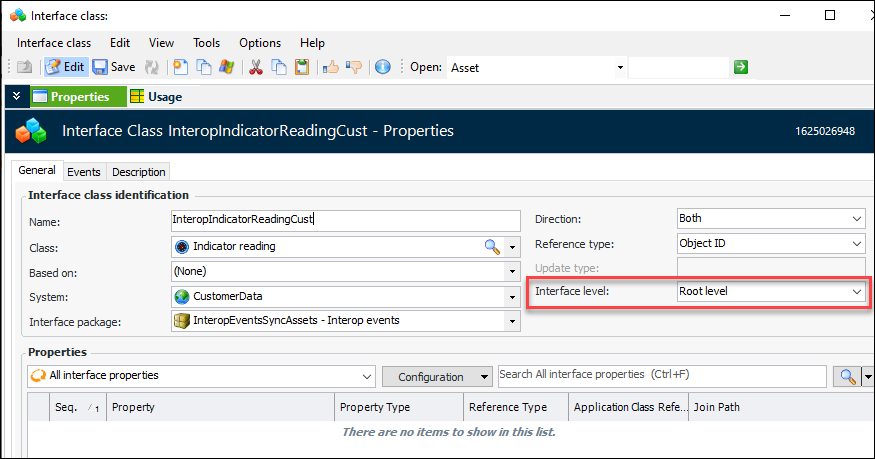
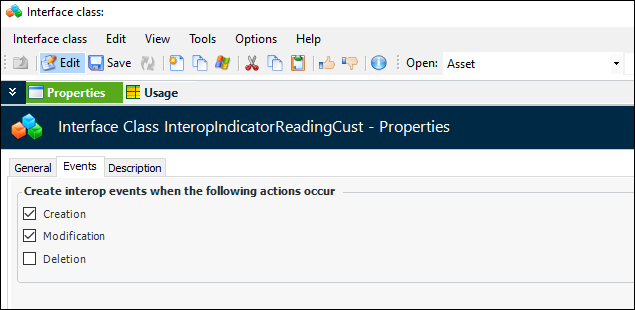
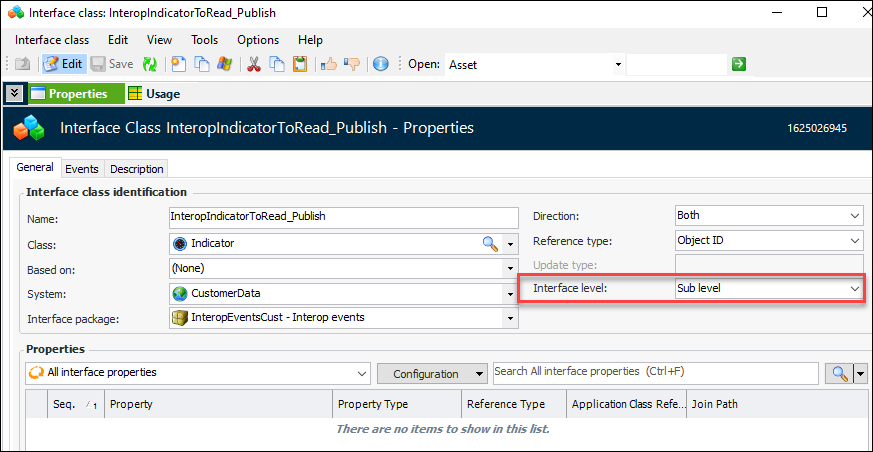
10. In the Interface level list, select either “Root level” or “Sub level”. The interface class associated with an object that triggers the generation of an event must have the interface level “Root level”. Here is an example of the indicator reading interface class, which triggers an event:
11. On each root level interface class, select the Events tab and select the actions that will trigger interop events.
13.Creating a Custom Event Handler
To Create a Custom Event Handler
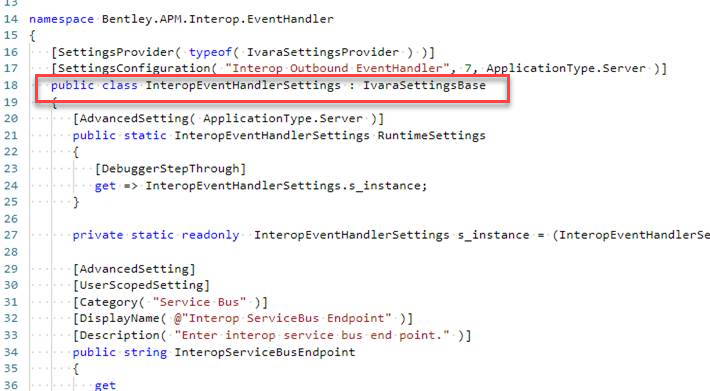
7. Close the Settings Editor and open it again. Select Advanced Settings to see the Custom event handler settings in the editor.