|
Resetting an Indicator’s Degradation Rate
Note: The degradation reset function is generally available in APM. To use the functionality, you must first enable feature 126. In the Enterprise window, select the Features view and the Enabled Features tab. Click Browse, select “Support ability to reset indicator degradation rate when piping replaced” and click OK. If APM is running as a smart client, click Refresh Enabled Features on the server. Then restart the client to use the functionality.To Reset Degradation Rate
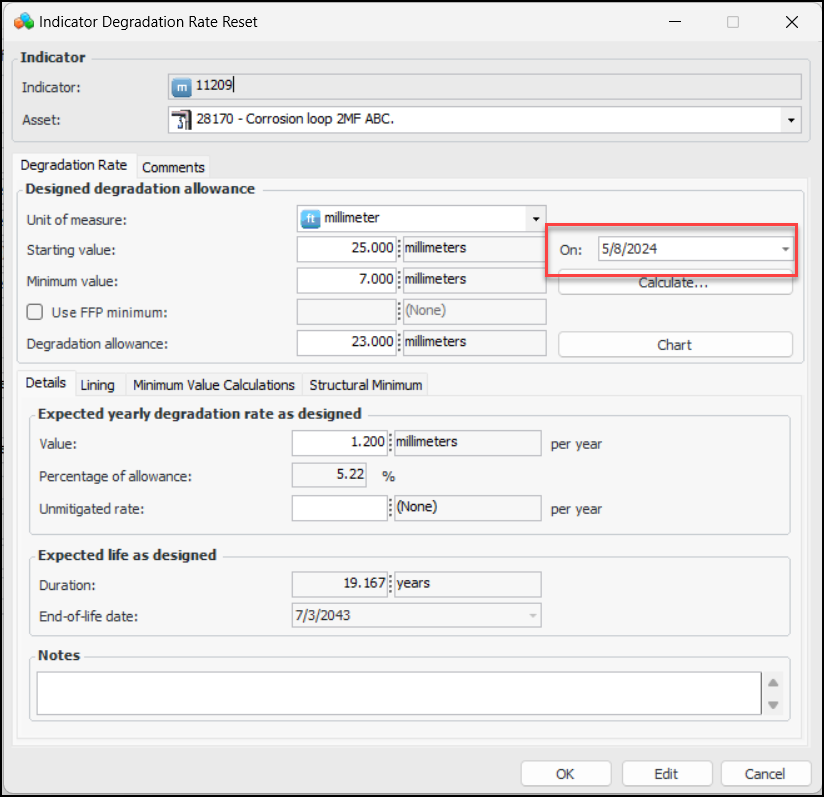
1. Open the Indicator window, click the Tools menu and then Reset Degradation. The Indicator Degradation Rate Reset window displays the current indicator degradation rate and the current date as the new starting date. For example:
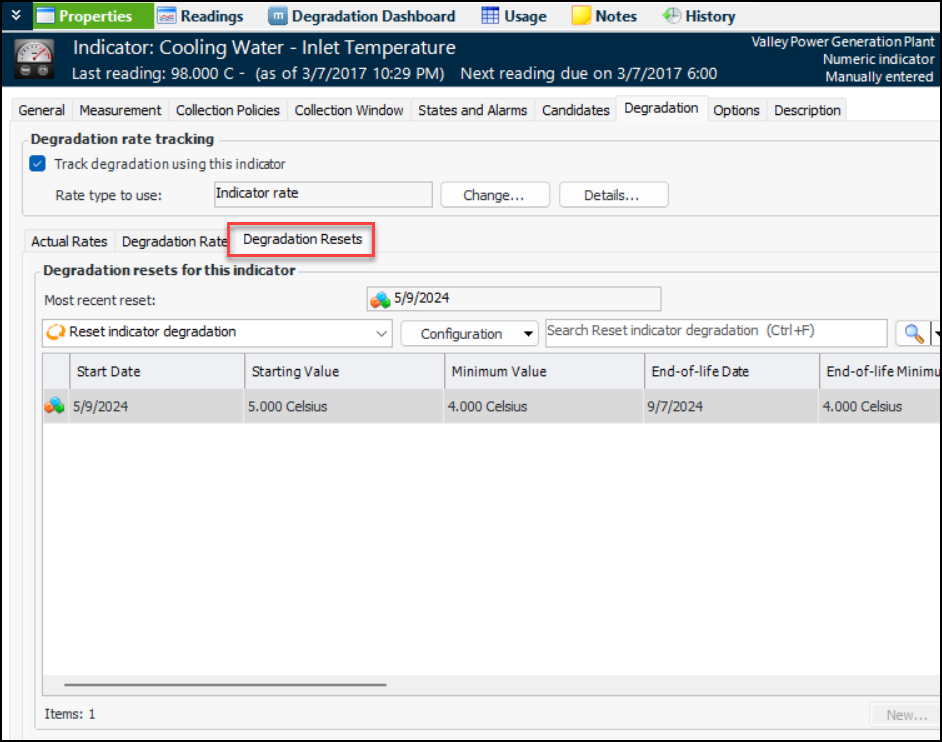
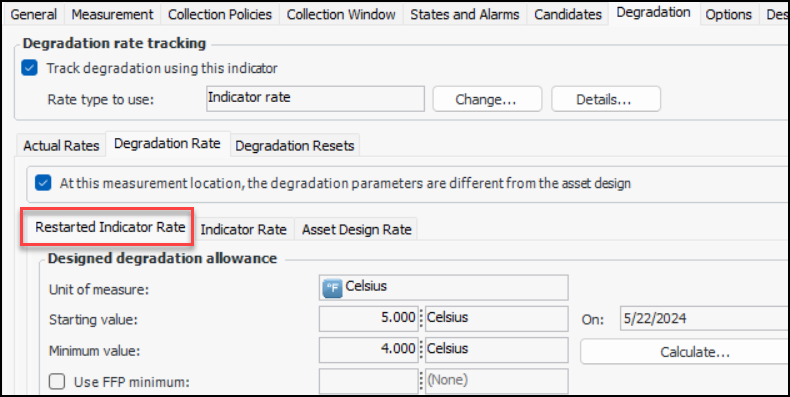
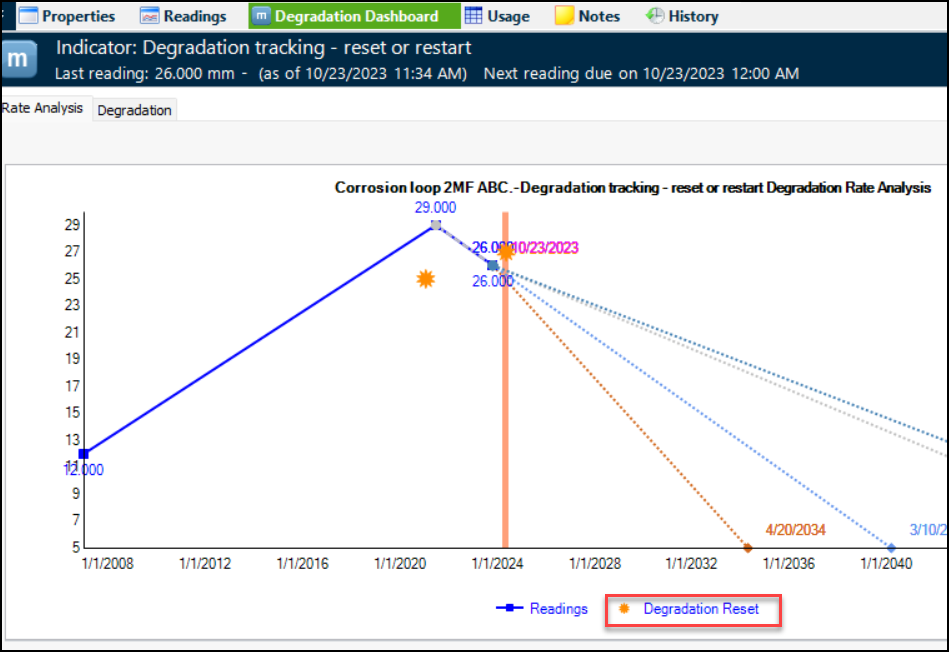
2. When the reset is saved, the Degradation Resets tab is added to the Indicator window. For example:In the Degradation Rate tab, you will find the Restarted Indicator Rate tab, as well as the Indicator Rate and Asset Design Rate tabs.Note: When an indicator has been reset, the Change Design Info button is no longer available. You can perform another reset to change design information.You can view resets at the site level by selecting the Inspection Management view, the Indicators tab, and the Degradation Resets tab.