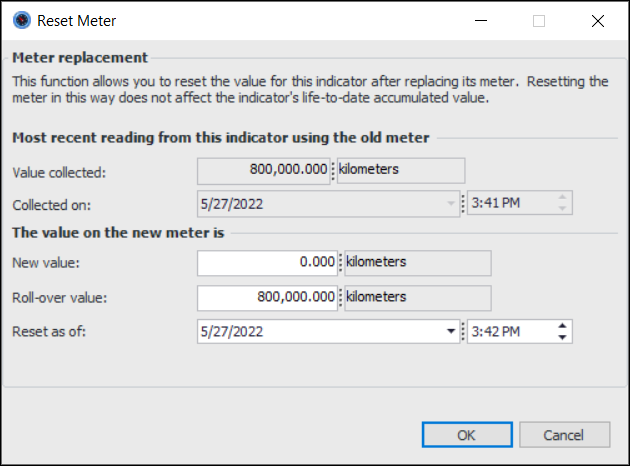
Concepts Tasks Settings Resetting an Indicator You can reset the value of an accumulated, cumulative-type indicator, such as an odometer that measures the total number of miles traveled over the vehicle’s lifetime. If the indicator is on a component location, you might want to reset its value whenever a new component is installed. To Reset an Indicator 1. Open the asset that includes the indicator you want to reset. Select the Inspection Management view. 2. Right-click the cumulative indicator and click Change Meter. The Reset Meter dialog appears. 3. Enter the current value of the new meter. Click OK. 4. Close the Asset window.