
Undoing the Asset-is-Unavailable Flag

If an indicator reading could not be taken at collection time, the reading might specify that the asset was not available to be read. You can reverse this setting as long as the reading has not been processed.

To Undo the Asset-is-Unavailable Flag on an Indicator Reading
1.
Open the checksheet and select the Indicator Readings tab.
2.
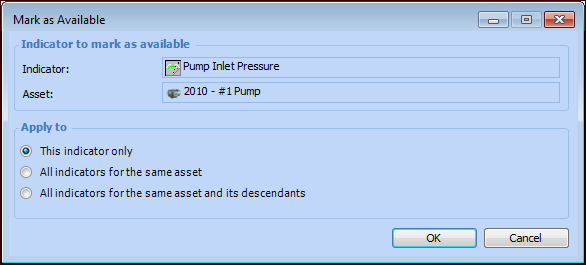
Right-click the indicator and select Mark as Available. The Mark as Available dialog appears.
 
3.
4.
Click OK. The indicator’s reading status changes to New, and the percent complete is adjusted in the banner of the checksheet.