Processing Checksheets

When personnel are required to complete large numbers of checksheets, whether in APM or APM Remote, you can use the Process Checksheets utility to process all checksheets at one time. The process can be triggered for the site either manually or automatically using the Process Ready Checksheets scheduled action.
When APM processes a checksheet, it closes it and updates the indicators with the new readings.
To be included in the process, a checksheet must:
The process records statistics for the job and any errors that occur. In the Checksheet window, select the History view, Processing Errors tab after the checksheet has been processed.
There are two advanced runtime settings on the server/service instance that affect the process:
See APM Installation Guide for information about setting up server/service instances.
This topic explains how to manually process checksheets for the site.
For information about setting up the scheduled action, see Scheduling Actions.

To Manually Run Process Checksheets

1.
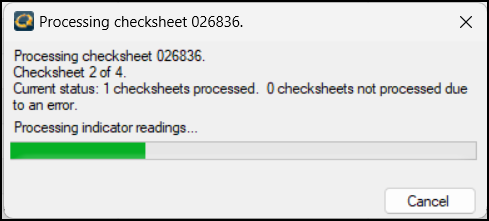
From the Site window, click the Tools menu, Inspection Management, and Process Checksheets. The Processing Checksheet dialog appears:
When processing is complete, you can view processing information for individual checksheets. Open a checksheet and select the Properties view, Processing Status tab.