
|
Marking an Indicator Reading as Incorrect
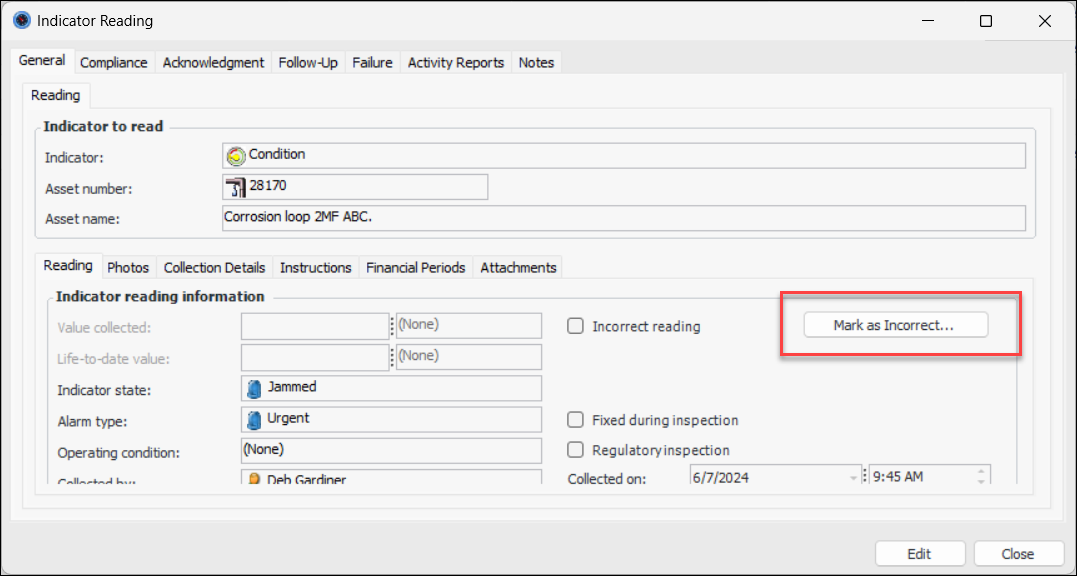
If you mark an acknowledged alarm reading as incorrect and then wish to re-acknowledge the alarm, remove the incorrect reading flag. This returns the indicator to an alarm state. For more information, see Undoing an Incorrect Reading Flag.You can mark a reading as being incorrect wherever you see the reading in a table of readings or in a chart. You can also open the Indicator Reading window and click Mark as Incorrect. This topic explains two ways to mark a reading as being incorrect. It includes instructions for undoing “mark as incorrect”To Mark a Reading as Incorrect using the Reading window
2.
3. Click Mark as Incorrect.A confirmation window appears where you can select a reason and provide comments. When you click OK, the window closes, Incorrect reading is selected, and the button label changes to Undo Mark as Incorrect.If you wish to reverse your decision, click Undo Mark as Incorrect. If a failure record was canceled when you marked the reading as incorrect, the failure’s status changes to Open after you undo the flag.To Mark a Reading as Incorrect from the Site Window
1. Select the site’s Inspection Management view.
2.
3. The Readings tab below the table shows the “Readings history” configuration.
4. Right-click the incorrect reading and click Mark Reading as Incorrect. The system removes the reading from the list.To remove the flag, right click the flagged reading and click Undo Mark as Incorrect Reading.