Correcting an Indicator Reading

After a checksheet is marked as complete or a reading is processed, one or more indicator readings might need to be edited so that the inspection report can be updated. APM allows you to correct an indicator reading by marking the original as incorrect and creating a new reading.
You can correct a reading wherever you see the reading in a table or in a chart. This topic explains how to correct a checksheet’s indicator reading.

To Correct a Reading

1.
Select the site’s Inspection Management view. Select the Checksheets tab. By default, this tab displays a list of unprocessed checksheets.
2.
3.
4.
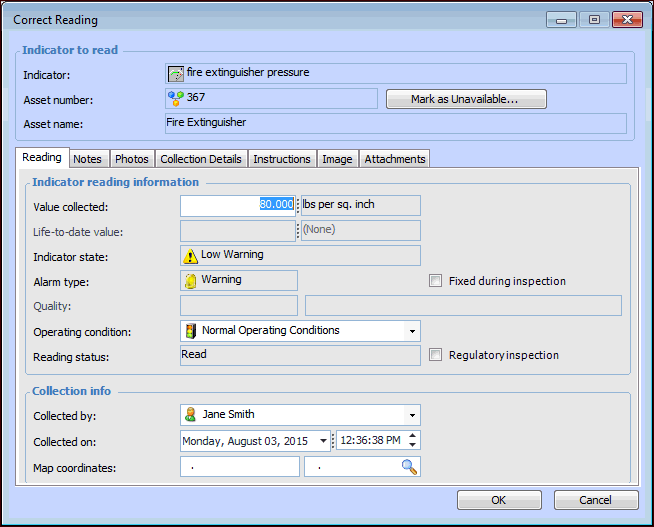
Right-click the reading that you want to correct, and select Correct Reading. The Correct Reading dialog appears, populated with the information collected in the original reading. For example:
5.
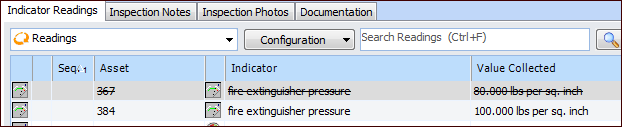
Edit the information necessary to correct the reading, and click OK. APM marks the original reading as incorrect, and creates a new reading based on the information provided. For example: