
|
|


Checksheets and SAP Plant Maintenance
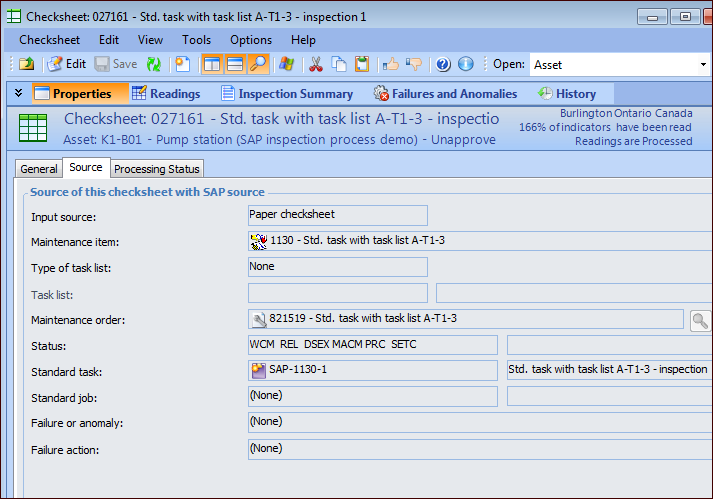
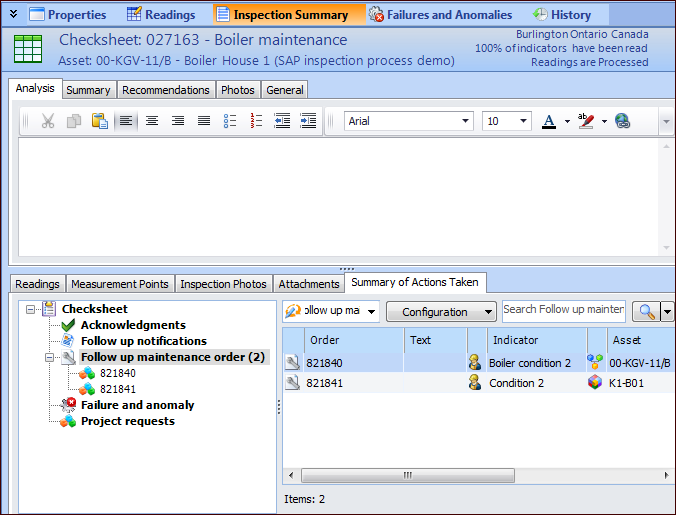
When APM has been configured to interact with SAP Plant Maintenance using APM interoperability, you can link standard tasks to SAP maintenance items or task lists. APM can then generate checksheets using the standard tasks when a maintenance order is created in SAP for the linked maintenance item or task list. When a checksheet is generated in this way, its Source tab displays the SAP information from the standard task, as well as the maintenance order.To View SAP Information in a Checksheet
The History view displays audit information for SAP properties.To Link a Checksheet to an SAP Maintenance Order
 is enabled.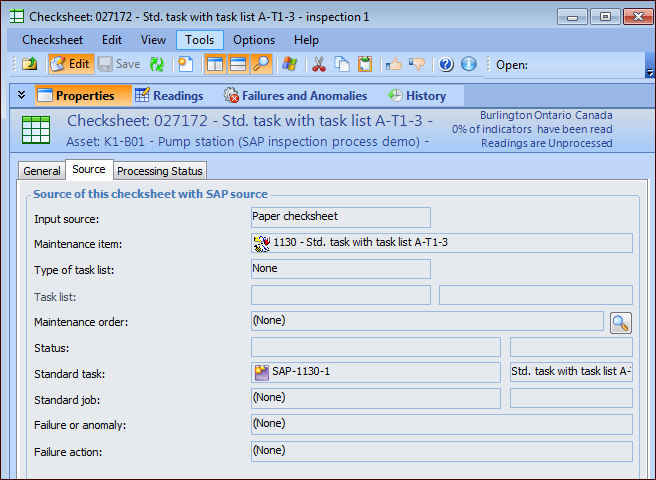
 ) to open the Browse Maintenance Orders dialog: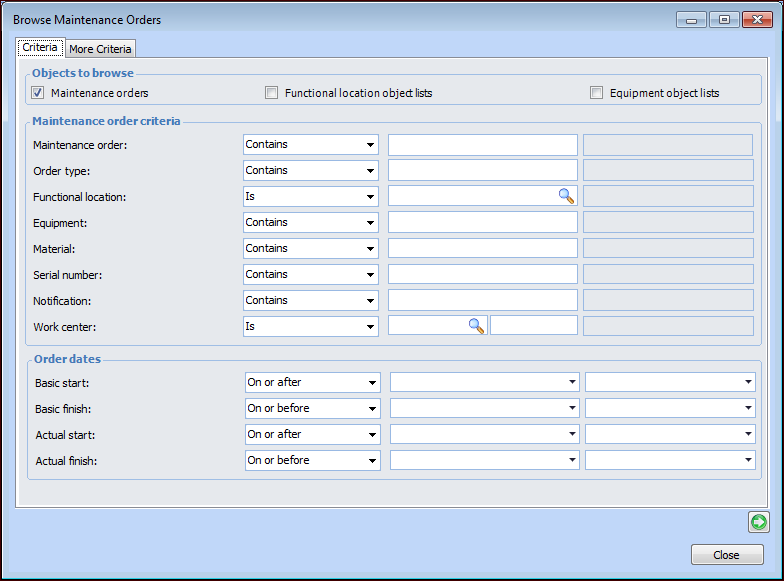
 to view the list of items. (You can return to the criteria to refine the filters by clicking
  .)
.)