Defining a Performance Indicator’s Calculation Frequency

You can use one of four methods to set when a calculated or performance indicator is recalculated:
Note: The Recalculate Calculated Indicators action cannot recalculate indicators with this setting.

To Define the Calculation Frequency of an Indicator

1.
2.
3.
Select the Calculation tab.
4.
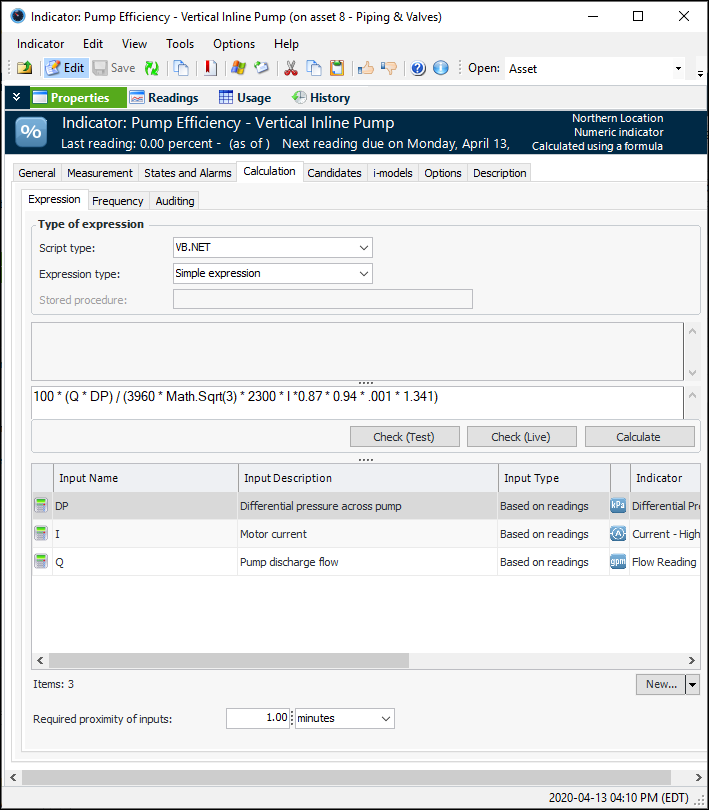
On the Expression tab, enter a value in the Required proximity of inputs box.
5.
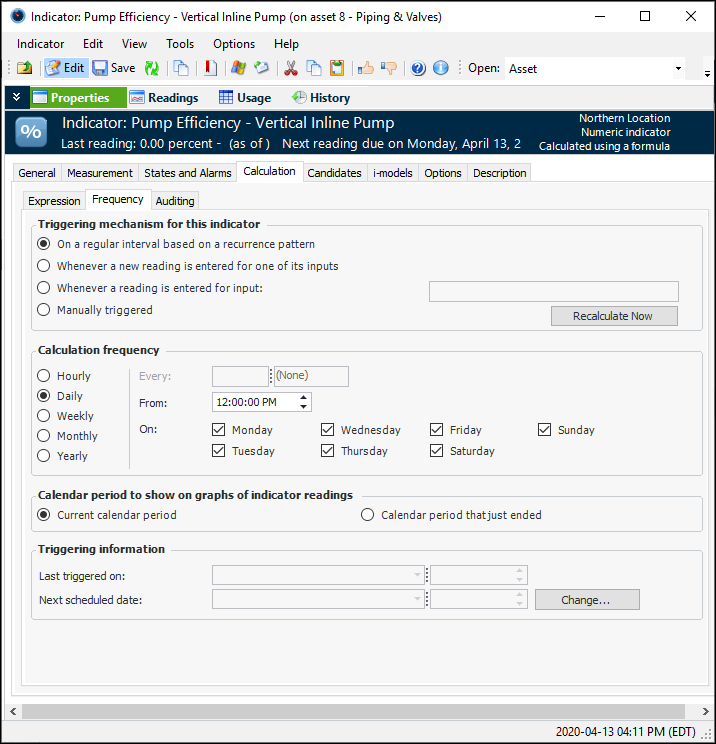
Select the Frequency tab. For example:
6.
On a regular interval based on a recurrence pattern: The indicator is calculated on an hourly, daily, weekly, monthly, or yearly basis, as defined in the recurrence pattern.
Whenever a new reading is entered for one of its inputs: If the calculation uses indicator readings in calculation inputs, then whenever a new indicator reading is entered, the system recalculates the indicator. However, if there is more than one reading-based input in the calculation, the Required proximity of inputs setting can affect whether or not the recalculation occurs.
Whenever a reading is entered for input: If the calculation uses indicator readings, the system recalculates the indicator only when a new reading is entered for the specified input. The Required proximity of inputs setting can affect whether or not the recalculation occurs.
Manually: The indicator is recalculated when a user selects the Re-calculate Now method on the indicator.
7.
Hourly: Select this option to define a pattern that repeats more than once a day (for example, every two hours, every half hour, and so on).
Daily: Select this option to define a pattern that repeats more than once a week (for example, every day at 10 a.m.; every Monday, Wednesday, and Friday at 10 a.m.).
Weekly: Select this option to define a pattern that repeats at weekly intervals but not more than once a week (for example, every week on Tuesday at 10 a.m., every two weeks on Saturday at 10 a.m.).
Monthly: Select this option to define a pattern that repeats in monthly intervals but not more than once a month (for example, every month on the 15th at 10 a.m., every two months on the first Monday at 10 a.m.). You can choose the calendar or financial month.
Yearly: Select this option to define a pattern that repeats in yearly intervals but not more than once a year (for example, every year on the 1st of July at 10 a.m., every year on the last day in December at 10 a.m.).
For detailed instructions on creating a scheduled interval, see Defining Recurrence Patterns.
8.
9.